AI Tool Comparision
Kay Tried Multiple AI Image Generation Tools But Only These 5 Stood Out in 2026

If you buy through a link on this page, we may earn a commission, at no extra cost to you.
Somewhere around the eleventh browser tab promising a "revolutionary AI photo editor," I started to suspect the revolution was mostly in the headlines. Every tool removes backgrounds now. Every tool "reimagines" your photos. And every single one insists it's the only one you'll ever need.
So I did the unglamorous thing. I lined up more than 20 AI image editors, put their claims, pricing pages, free tiers, and actual interfaces under the microscope, and kept score. The best AI image editors in 2026 are Canva for all-in-one everyday editing, Adobe Photoshop for professional-grade work, Photoroom for product photos, Krea AI for creative AI-native editing, and Google Gemini for free prompt-based edits. Those five earned their spot. The other fifteen-plus mostly do one trick, do it behind a paywall, or do it worse than the five above.
This guide is for marketers, freelancers, and anyone who edits images for actual work and wants a straight answer instead of a 40-tool listicle.
How I Narrowed 20+ Tools Down to 5
Quick honesty note, because trust is the whole point of this site. The field included big names like Fotor, Pixlr, Picsart, Photopea, Luminar Neo, Topaz Photo AI, Claid, Phot.AI, Leonardo AI, Recraft, remove.bg, Cutout.Pro, VanceAI, PicWish, Lensa, and NightCafe Studio, plus the five winners below. Pure image generators like Midjourney and Ideogram were excluded, because generating a new image from scratch and editing an existing one are different jobs.
For every serious contender, I checked pricing against the live pricing page on the day of writing (July 11, 2026), dug into the free-tier fine print, walked through the real interfaces, and leaned on each tool's own published demos and documentation instead of its ad copy. Every screenshot below is the actual product or the vendor's own demo. No stock art, no mockups.
One more thing: none of the five picks paid to be here. Two of them don't even have an affiliate link on this page.
Who Almost Made the Cut (and Why They Didn't)
A few tools got genuinely close, and it's worth explaining why they landed just outside the top five instead of pretending they don't exist.
Fotor is a real contender for a broad, cheap toolkit. Its free plan covers basic edits (brightness, crop, filters) plus one AI enhancement a day, and Pro runs as low as $3.33 a month billed annually. But the free plan watermarks anything that touches its better AI features, and Canva simply does more of the same job for a comparable price with a better free tier.
Photopea deserves credit for being a genuinely free, no-signup, browser-based Photoshop clone with real layers, masks, and filters. The catch is that it isn't really an AI tool. It's a manual editor that happens to have bolted on a few AI credits behind its $5-a-month premium tier, so it didn't fit a list built around AI-first editing.
Topaz Photo AI is the best in the world at exactly three things: denoising, sharpening, and upscaling. If that's your entire problem, it's worth its subscription (single-app plans start around $19 to $25 a month). But it doesn't touch backgrounds, generative fill, product photography, or design, so it's a specialist tool for photographers, not a general AI image editor for the broader audience this guide is written for.
Claid.AI plays in the same ecommerce product-photography space as Photoroom, and does it well, but its pricing and workflow are built for developers calling an API, with usage-based credits rather than a simple consumer plan. Photoroom does the same job with a friendlier on-ramp for solo sellers and small teams, which is why it made the cut instead.
Luminar Neo is a strong photography-first editor with real AI tools built in, but it's positioned and priced as desktop RAW-editing software for photographers rather than a fast, browser-based AI editor, which put it in a different category than the other five.
The 5 Picks at a Glance
Tool | Best for | Starting price (verified July 2026) |
|---|---|---|
Canva | All-in-one everyday editing | Free; Pro at US$144/year |
Adobe Photoshop | Professional-grade AI editing | US$22.99/month (annual, billed monthly) |
Photoroom | Product and ecommerce photos | Free; Pro at $7.50/month billed yearly |
Krea AI | Creative AI-native editing | Free; Basic at $5/month billed yearly |
Google Gemini | Free prompt-based edits | Free; AI Pro at $19.99/month |
1. Canva: Best All-in-One AI Image Editor
The tool you already know quietly became a serious AI photo editor.
Canva started life as the place you made a passable Instagram post in ten minutes. Somewhere along the way it bolted a full AI toolkit onto that editor: one-click background removal, object cleanup, AI image expansion, and text-to-image generation, all sitting next to the templates you were already using. That's the quiet superpower here. You don't edit a photo and then rebuild the ad around it somewhere else. The edit happens inside the design.
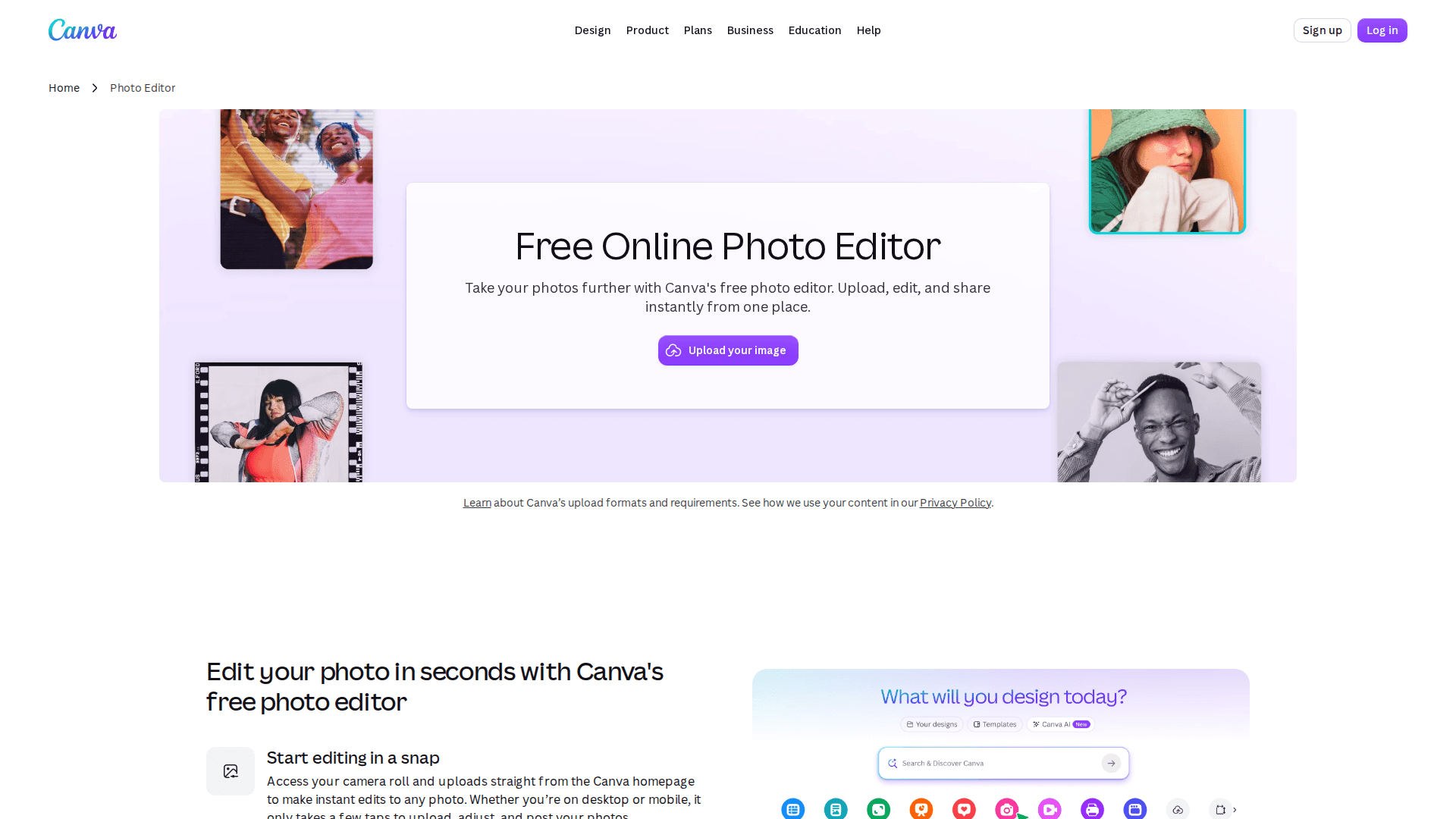
For marketers and freelancers, this is usually the right default. Fixing a photo, dropping it into a carousel, resizing it for five platforms, and shipping it is one continuous motion. The free plan is genuinely usable for basic edits and layouts, and Canva Pro runs US$144 a year for one person as of July 2026, with a free trial.
The honest catch: the AI features are where Canva makes its money, so the good stuff sits behind Pro. Background removal is a paid feature, and Canva now sells an "AI Pass" add-on on top of Pro and Business plans for heavier AI usage. And if you need pixel-level control, layer masks, or colour-accurate retouching, Canva will feel like editing with oven mitts on. It's built for speed, not surgery.
Canva's pricing page spells out the trade-off plainly. The free plan gets you a drag-and-drop editor, 1.6 million-plus templates, and 4.7 million-plus stock photos and videos, but only one Brand Kit limited to three colours. Pro, at US$144 a year for one person, unlocks the premium tools, including background removal and translation, plus 3.6 million-plus templates and 141 million-plus premium photos, videos, and audio. If you're already living in Canva for social posts or decks, upgrading for the AI editing tools is close to a no-brainer. If you've never opened it, that's a sign your workflow probably lives somewhere more specialised, which is exactly what the rest of this list is for.
2. Adobe Photoshop: Best Professional-Grade AI Editing
Still the gold standard, now with genuinely useful AI inside.
Every tool on this list is chasing what Photoshop's Generative Fill does. Select a region, type what you want, and Firefly-powered AI fills it in, matched to lighting and perspective. Adobe's Generative Fill, Expand, and Remove tools run on its latest Firefly models, and the difference shows at the edges, literally. Where cheaper tools leave smudgy halos around removed objects, Photoshop usually doesn't. And because it's still Photoshop, the AI sits on top of layers, masks, and every precision tool the industry has standardised on for thirty years.
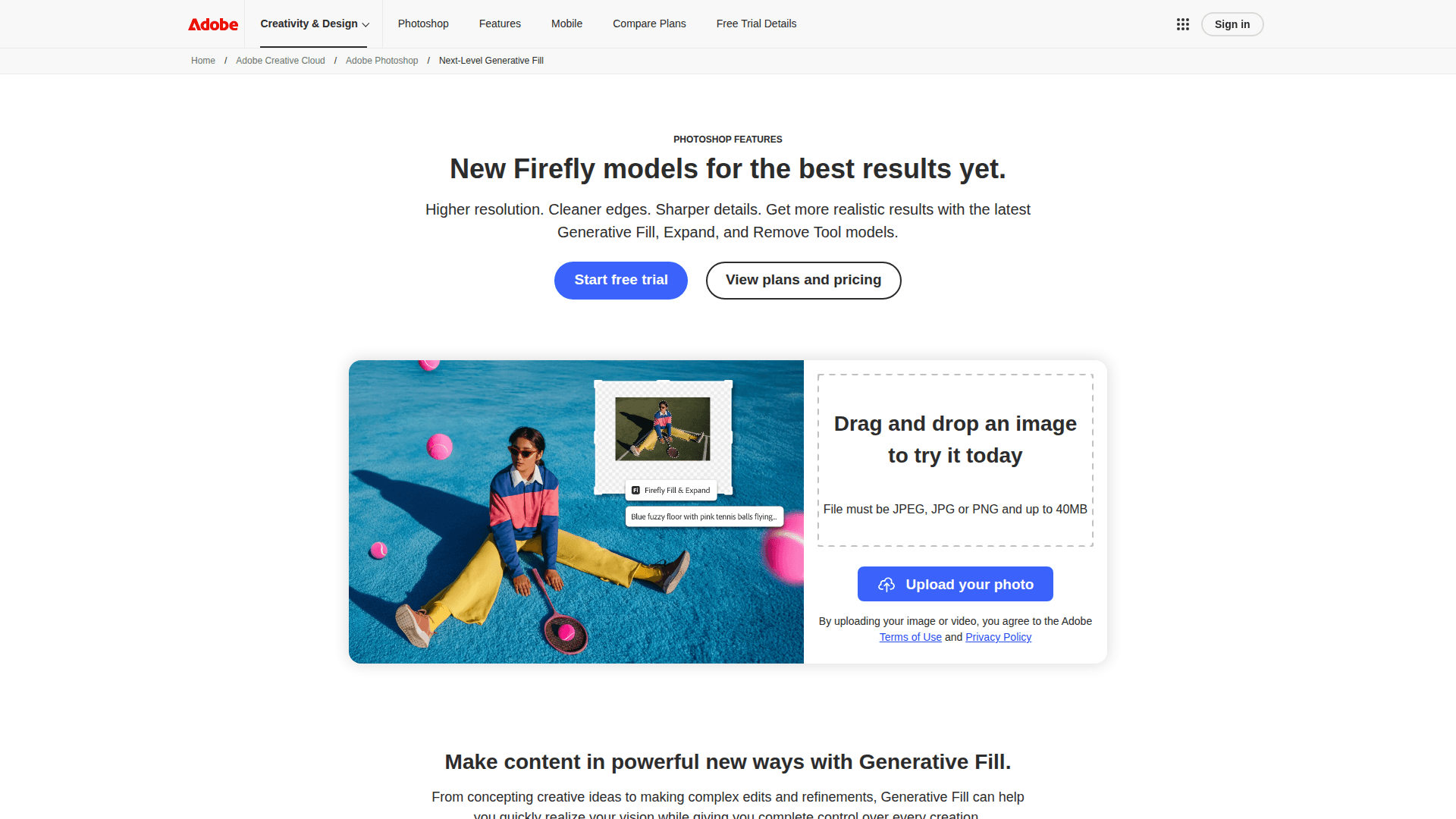
That's Adobe's own in-page demo above, and it's representative of what the feature does: describe "blue fuzzy floor with pink tennis balls flying" and the scene extends to match.
The catch is cost, in two currencies: money and patience. The single-app plan is US$22.99 a month on an annual plan as of July 2026, and Adobe's AI is metered with a credit system confusing enough to deserve its own review. Adobe's plan grid gives the web-and-mobile plan 4,000 monthly "creative AI" credits, while reporting puts the desktop single-app plan's generative allowance at just 25 credits a month since Adobe's 2026 policy change. If you lean hard on Generative Fill, check your plan's credit maths before you commit. Add the learning curve, and Photoshop is the pick for people who bill for their pixels, not for people cropping a LinkedIn banner.
Worth knowing before you pick a plan: Adobe also bundles Photoshop into its Photography plan alongside Lightroom and 1TB of cloud storage, which several pricing trackers list at a similar monthly price to the standalone app but with a noticeably larger monthly AI credit allowance. If Generative Fill and Remove are the features you actually want, read the credit line on whichever plan you pick before you buy, not after your first big edit fails halfway through the month.
3. Photoroom: Best AI Image Editor for Product Photos
If you sell things online, this one pays for itself embarrassingly fast.
Photoroom does one job with unreasonable focus: turning a phone photo of your product into a clean, listing-ready image. Snap your sneaker on the kitchen table, and Photoroom cuts it out, drops it on a studio background, adds a realistic AI shadow, and batch-processes the other 40 photos in your catalogue the same way. It also generates AI backgrounds and even AI fashion models wearing your products, which is either the future or mildly unsettling, depending on your mood. Over a million businesses use it, including Decathlon and Printify.
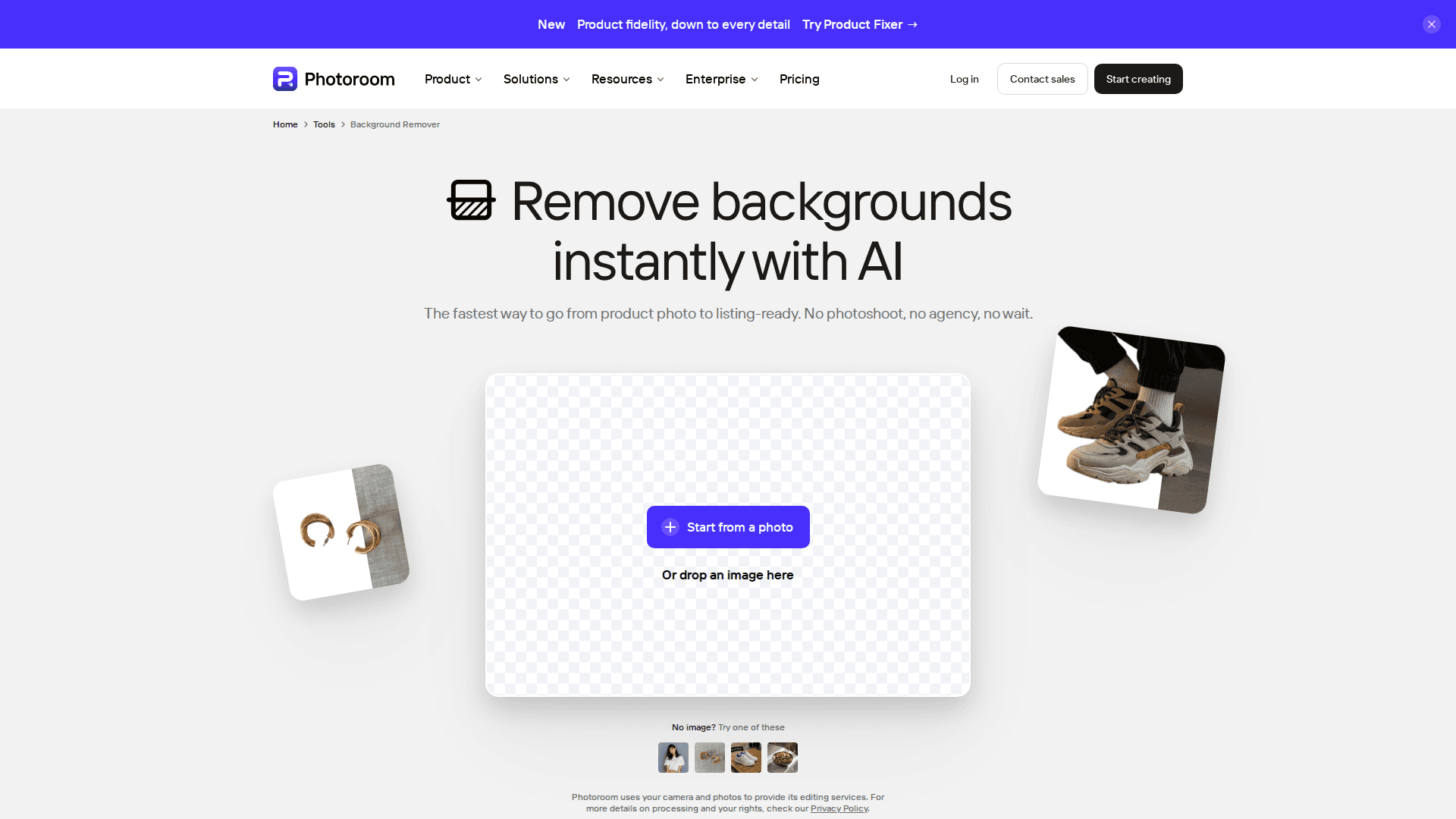
Pricing is friendly for solo sellers. As of July 2026, Pro is $7.50 a month billed yearly, currently discounted from $12.99, with Max at $20.99 and Ultra at $82.50 a month billed yearly for bigger catalogues and 4K exports.
The honest catch: the free plan caps monthly exports, locks batch mode, and explicitly isn't licensed for commercial use, which defeats the point for an actual store. And Photoroom is a specialist. If your work isn't product or social imagery, most of its best tricks will sit unused.
It's also actively adding tools rather than coasting, which matters for a specialist you'll depend on long-term. Photoroom's own site was promoting a new "Product Fixer" feature at the time of writing, aimed at correcting product fidelity issues like colour and shape distortion, on top of the existing background removal, AI shadows, and batch export tools. For a seller managing a catalogue instead of a single hero shot, that kind of steady feature drip is worth more than any single flashy demo.
4. Krea AI: Best for Creative AI-Native Editing
For when you're not fixing an image, you're inventing one.
The four tools above edit photos you already have. Krea AI is what you open when the image doesn't exist yet. Its real-time canvas generates and regenerates the picture as you type or paint, which feels less like using an editor and more like arguing with a very fast art director. Around that canvas sits a full creative suite: an Edit tool for prompt-based changes, an Enhancer that upscales images up to 22K resolution, and access to a stack of top models, including Google's Nano Banana 2 and Krea's own open-weights Krea 2 model. We took a deeper look in our full Krea AI review.
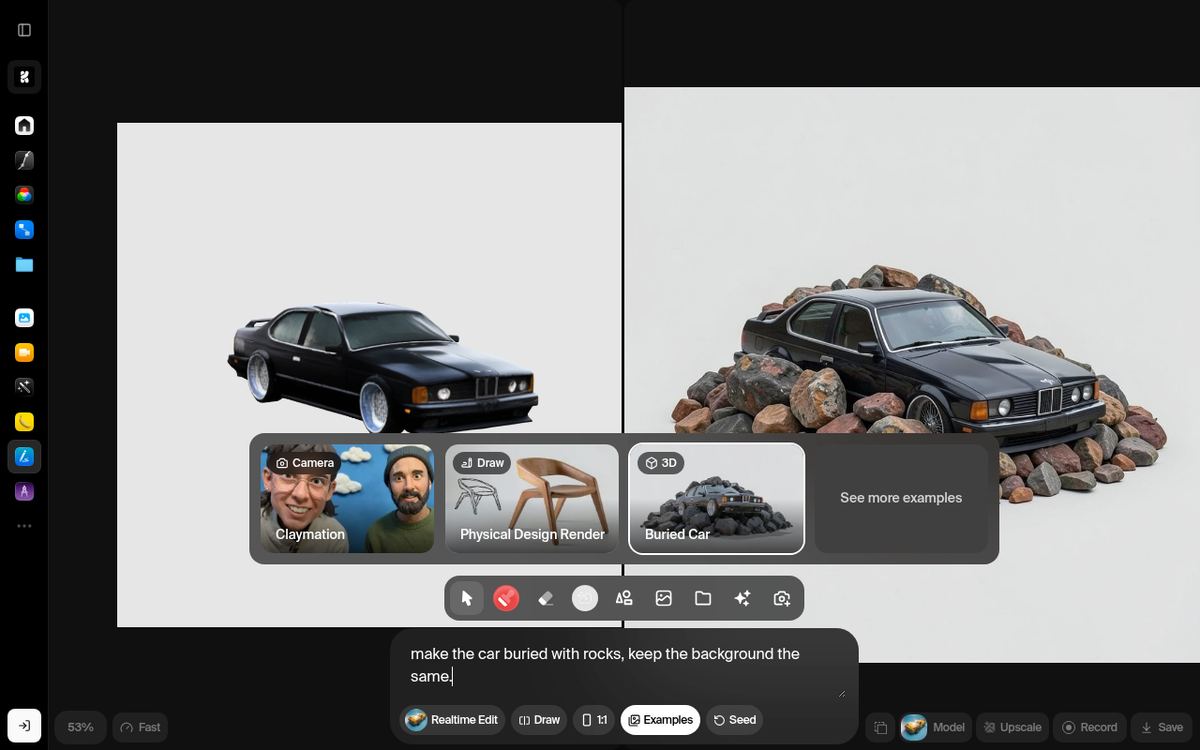
It's the right pick for designers, concept artists, and creators who remix visuals daily. Pricing is aggressive: as of July 2026, Basic is $5 a month billed yearly ($9 month-to-month), with Pro at $21 a month billed yearly.
The honest catch: the free plan's 100 daily compute units sound generous but buy roughly one premium image generation a day, so treat free Krea as a taster, not a workflow. There's also a real learning curve if you've never worked prompt-first, and user reviews have knocked its customer support responsiveness. Budget an afternoon to get comfortable.
What separates Krea from a plain image generator is what surrounds the canvas. Krea's pricing page lists LoRA training for custom styles, an internal node editor and "App Builder" for wiring up repeatable workflows, and image upscaling up to 22K resolution on its higher tiers, none of which you'll find bundled together anywhere else on this list. It's overkill if you only need to touch up a photo, but it's exactly the toolkit a working designer or agency would want to standardise on.
5. Google Gemini (Nano Banana 2): Best Free Prompt-Based Editor
Type what you want changed. That's it. That's the interface.
Google's Nano Banana models turned image editing into a text conversation, and the current default, Nano Banana 2, ships free inside the Gemini app. Upload a photo and type "remove the tourists and make it golden hour," and it just does it, no selections, no layers, no menus. For quick, weird, one-off edits, it's the fastest tool on this list, and the free tier makes it the cheapest by definition.
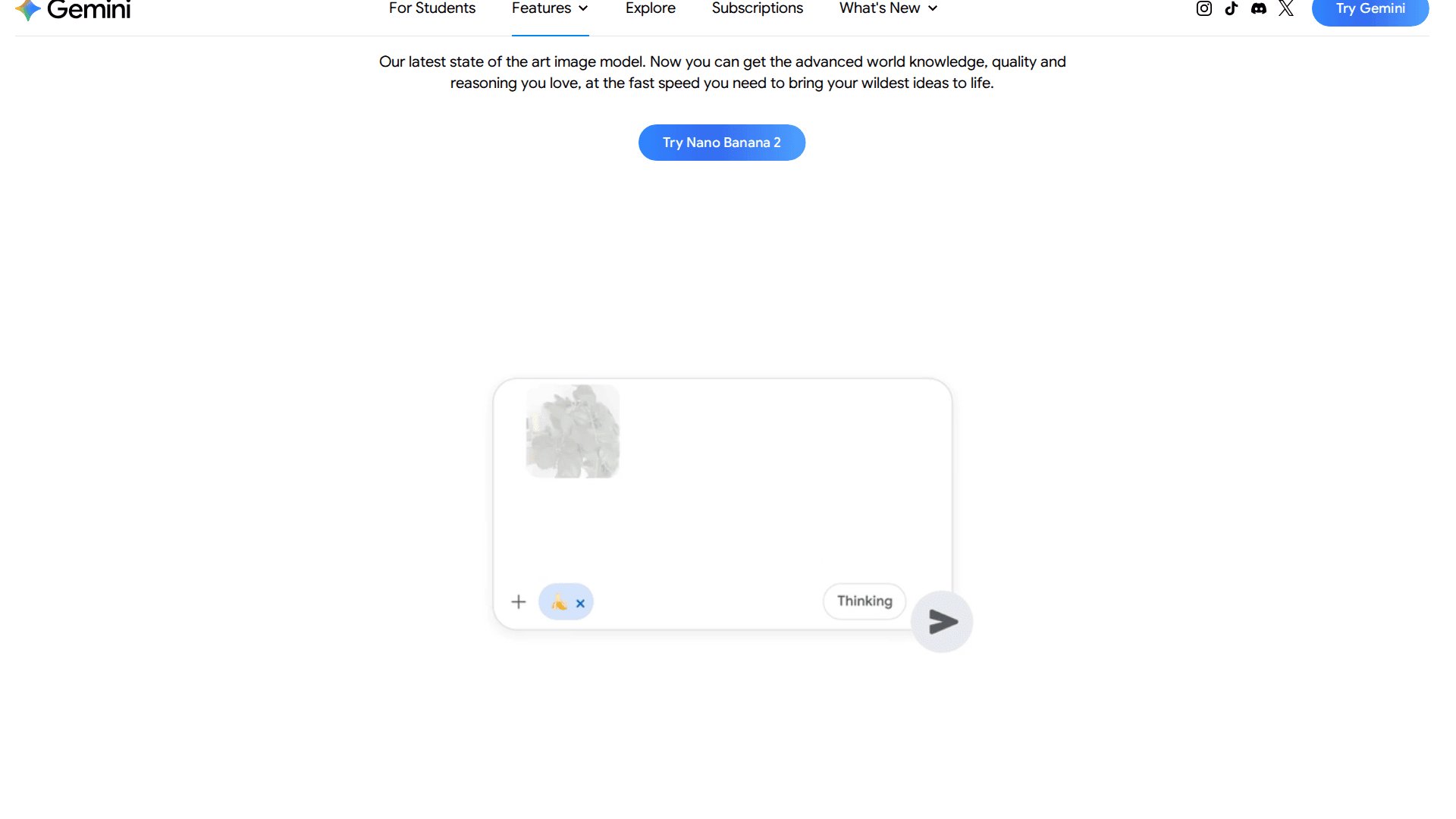
It's ideal as a sidearm next to your main editor: marketers mocking up a concept, freelancers roughing out ideas before committing paid credits elsewhere. Heavier users can step up to Google AI Pro at $19.99 a month in the US for higher limits and Nano Banana Pro access.
The honest catch: free-tier images carry a visible Gemini watermark, and every image carries Google's invisible SynthID mark regardless of plan. Google also doesn't publish exact daily caps for free usage and adjusts them over time. Add the total absence of precision controls, and Gemini is a brilliant first draft machine that you shouldn't hand final client deliverables to, at least not on the free tier.
Google also sells this as a tiered subscription rather than a single upgrade. Multiple pricing trackers independently report a Google AI Plus tier priced around $7.99 a month that removes the visible watermark, sitting below the $19.99 AI Pro plan and an AI Ultra tier reported around $34.99 a month, though Google doesn't always display the same figures in every region, so treat those two lower and upper numbers as reported rather than something we screenshotted directly, and check your own region's pricing page before you commit.
The Honest Answer: You Probably Need Two of These
Here's the thing nobody selling you a subscription will say. There is no best AI image editor. There's a best one for each job, and the five above barely overlap.
So instead of crowning one winner, here's the combination that actually makes sense:
Everyday marketing work? Canva as the daily driver.
Selling physical products? Photoroom, and the Pro plan earns its $7.50 back on your first listing batch.
Paid, precise client work? Photoshop, credits and all.
Creating visuals from scratch? Krea AI.
Quick free experiments? Gemini, watermark and all.
Most people land on two: one workhorse (Canva or Photoshop, depending on how you earn) plus one specialist (Photoroom, Krea, or Gemini, depending on what you make). At free-to-$7.50 entry points, the cheapest way to find your pair is to stop reading roundups, including this one, and spend twenty minutes with the free tiers of Canva, Photoroom, Krea, and Gemini. Your own product photo will tell you more than my next thousand words could.
FAQ
What is the best AI image editor in 2026? For most people, Canva is the best all-round AI image editor in 2026 because it combines AI photo editing with design and publishing in one tool. Professionals doing precision work should pick Adobe Photoshop, and ecommerce sellers are better served by Photoroom.
What is the best free AI image editor? Google Gemini's Nano Banana 2 is the strongest genuinely free option for prompt-based photo edits, though free images carry a visible watermark. Canva's free plan is the better free pick if you need edits inside real designs, and Krea's free tier gives you about one premium generation a day.
Can AI image editors replace Photoshop? For quick jobs like background removal, object cleanup, and social graphics, yes, tools like Canva and Photoroom are faster than Photoshop. For layered, colour-accurate, print-ready work, no. Photoshop's AI plus its precision tools is still the professional standard.
Do AI image editors watermark your images? Some free tiers do. Gemini's free images carry a visible watermark plus Google's invisible SynthID mark, and Photoroom's free plan isn't licensed for commercial use at all. Check the export terms of any free tier before publishing client work.
Which AI image editor is best for product photos? Photoroom. It's built specifically for ecommerce: background removal, AI studio backgrounds, realistic shadows, batch processing, and AI model shots, with Pro at $7.50 a month billed yearly as of July 2026.
Is any AI image editor completely free with no catches? Not entirely. Gemini's free tier costs nothing but stamps a visible watermark on every image. Canva's free plan has no export watermark on standard designs but keeps background removal and other AI tools behind Pro. Read the free-tier terms of any tool before you use the output commercially.