If you buy through a link on this page, we may earn a commission, at no extra cost to you.
There is a tiny panic that shows up right before publishing a video.
The edit is done. The thumbnail is ready. The title is dramatic enough to make YouTube happy. Then one question walks in:
"Am I actually allowed to use this music?"
That question is why Artlist became popular with YouTubers, editors, marketers, agencies, and social teams. It gave creators a cleaner way to find royalty-free music, sound effects, footage, templates, and licensing in one place.
But Artlist in 2026 is not just a music library anymore.
It now wants to be a full creator production stack. Alongside the stock catalog, Artlist offers AI video, AI image, AI music, AI voiceover, Artlist Studio, AI Agent workflows, 70+ ready-made AI Apps, and access to major models like Sora 2, Veo 3.1, Kling 3.0, Seedance, Nano Banana, GPT Image, Lyria, and ElevenLabs through its AI Toolkit.
So this Artlist review is really about one thing:
Is Artlist still worth paying for when creators already have Envato, Epidemic Sound, Runway, ElevenLabs, CapCut, and too many AI tools sitting in their bookmarks?
Short answer: yes, if you want licensed creative assets and AI tools in one workflow. No, if you only need one specialist tool.
Quick Verdict
Metric | Detail |
|---|---|
Overall rating | 4.4/5 |
Best for | YouTubers, editors, agencies, marketers, educators, freelancers, and small teams making videos regularly |
Main strength | Licensed stock assets plus AI generation in one creator workflow |
Main weakness | Dedicated specialist tools can offer deeper control for one narrow job |
Best plan logic | Music & SFX for audio, Footage & Templates for stock visuals, Max for stock plus AI, AI Creator/Pro for generation-heavy work |
Bottom line | Artlist is strongest when it replaces multiple creator tools and reduces licensing stress |
My one-line verdict:
Artlist is worth it in 2026 for creators who publish often and want music, SFX, footage, templates, and AI tools in one place. It is not the cheapest choice if you only need background music or one AI video model.
What Is Artlist?
Artlist is a creative asset and AI production platform for video creators.
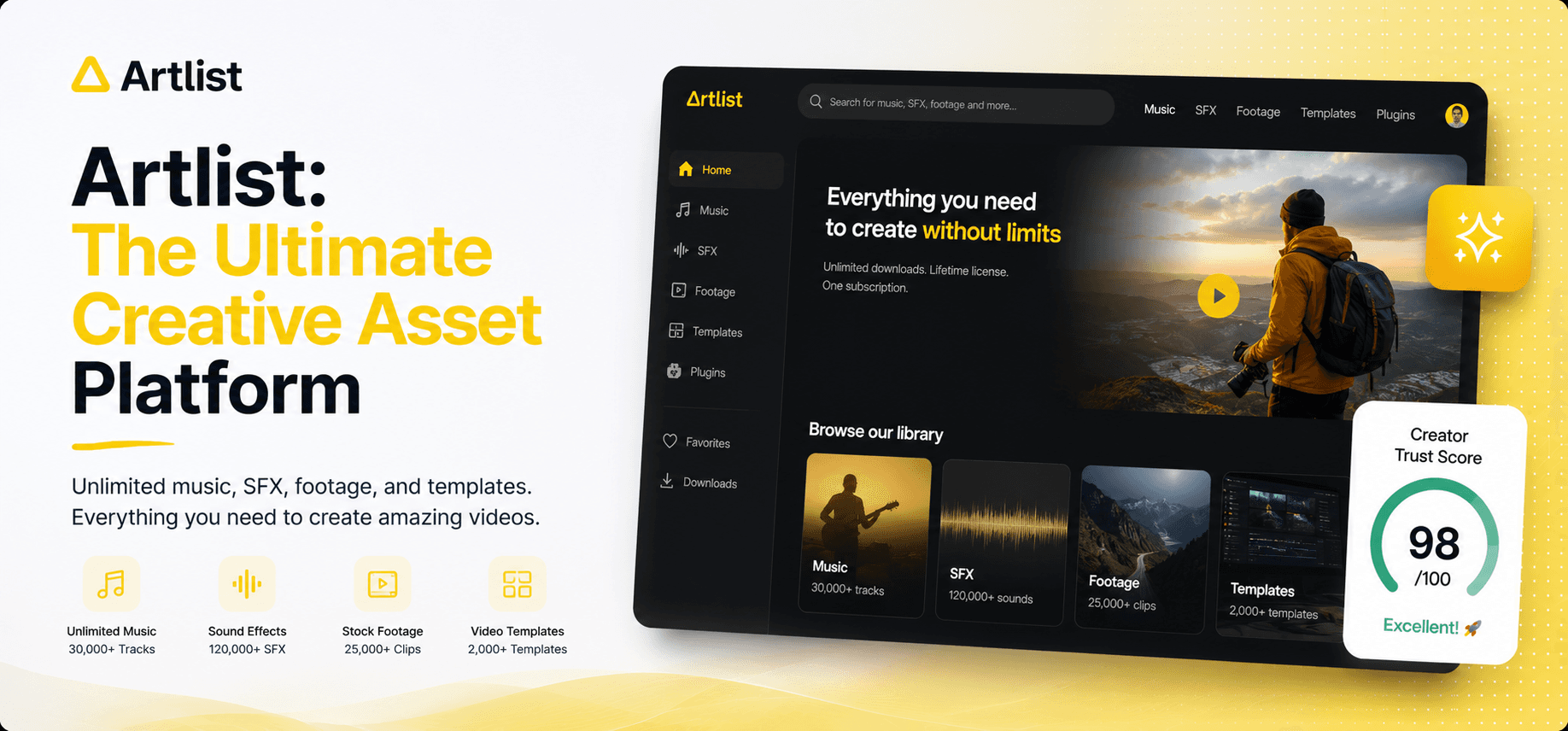
The platform gives you access to royalty-free music, sound effects, stock footage, video templates, LUTs, plugins, and AI generation tools for video, images, music, and voiceover.
The older version of Artlist was easy to explain:
"Need music for YouTube? Use Artlist."
The 2026 version is broader. Artlist presents itself as a creative AI ecosystem with a stock catalog, AI Toolkit, Artlist Studio, and workflow tools for creators and teams. Its website says it serves 50M+ creators and offers 900K+ digital assets, including music, SFX, footage, templates, and LUTs.
That shift matters because Artlist is no longer only competing with Epidemic Sound. It is also moving into the territory of Envato Elements, Runway, ElevenLabs, AI image generators, and creative workflow tools.
Think of it this way:
Artlist used to be the music drawer in your editing desk.
Now it wants to be the desk.
What Works Well
Artlist's biggest advantage is workflow consolidation.
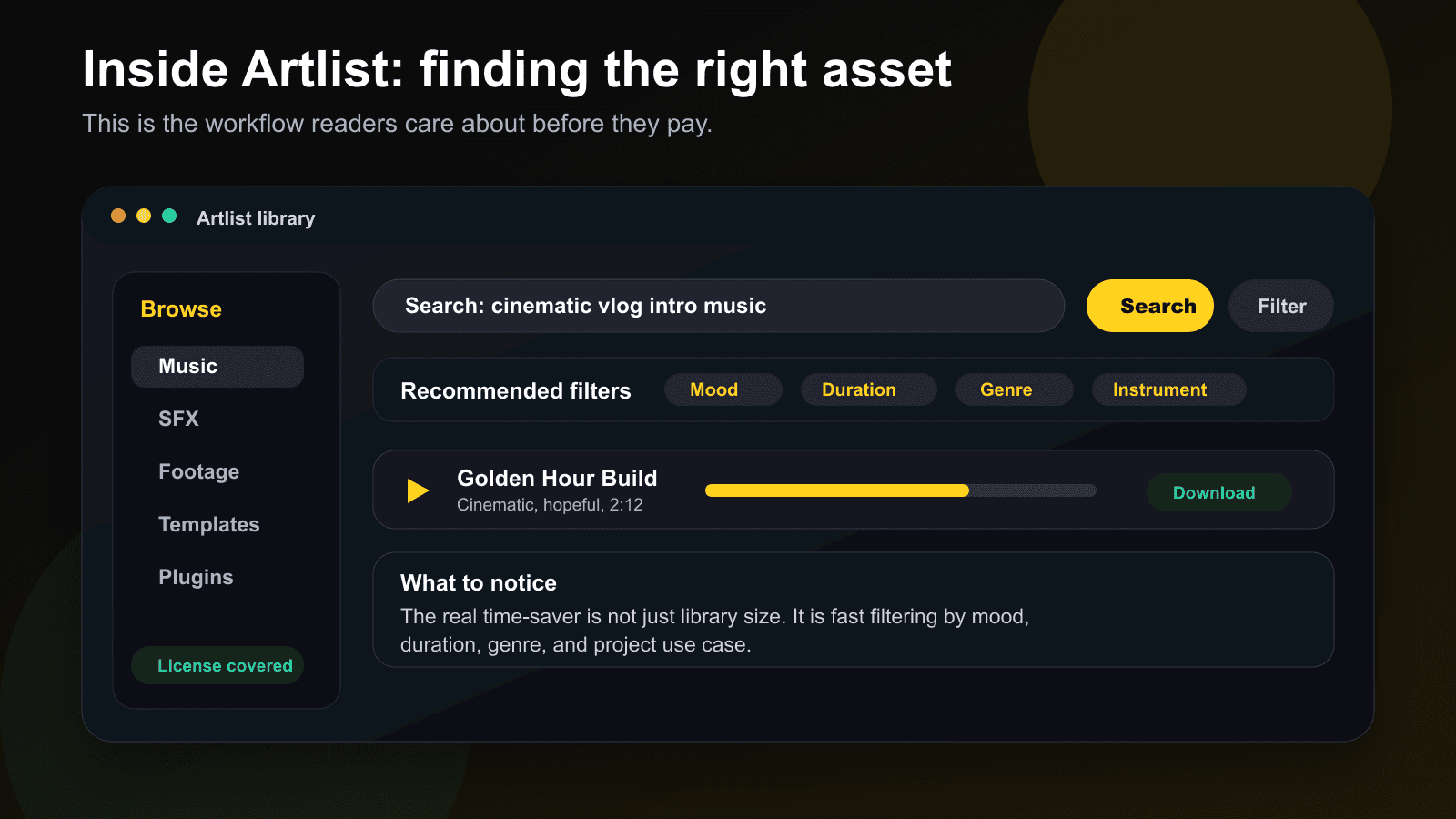
Instead of searching one site for music, another for SFX, another for b-roll, another for AI voiceover, and another for AI visuals, you can keep more of the production process inside one ecosystem.
The most useful parts are:
Royalty-free music: Good for YouTube videos, ads, courses, client edits, social content, and commercial projects, depending on your plan.
Sound effects: Whooshes, hits, ambience, clicks, risers, transitions, and small polish layers that make edits feel finished.
Stock footage: B-roll for explainers, ads, product videos, documentaries, social edits, and brand content.
Templates and LUTs: Useful for intros, promos, title sequences, transitions, and color looks.
AI Toolkit: AI image, AI video, AI music, and AI voiceover generation in one workspace.
Artlist Studio: A more structured AI video production space for shaping scenes, shots, locations, and visual direction.
AI Agent mode: A chat-style creation flow where you describe what you need and Artlist helps guide the generation process.
Model access: Artlist references access to well-known AI models across video, image, music, and voice workflows.
License coverage: One of the biggest reasons creators pay for Artlist instead of pulling random tracks from free websites.
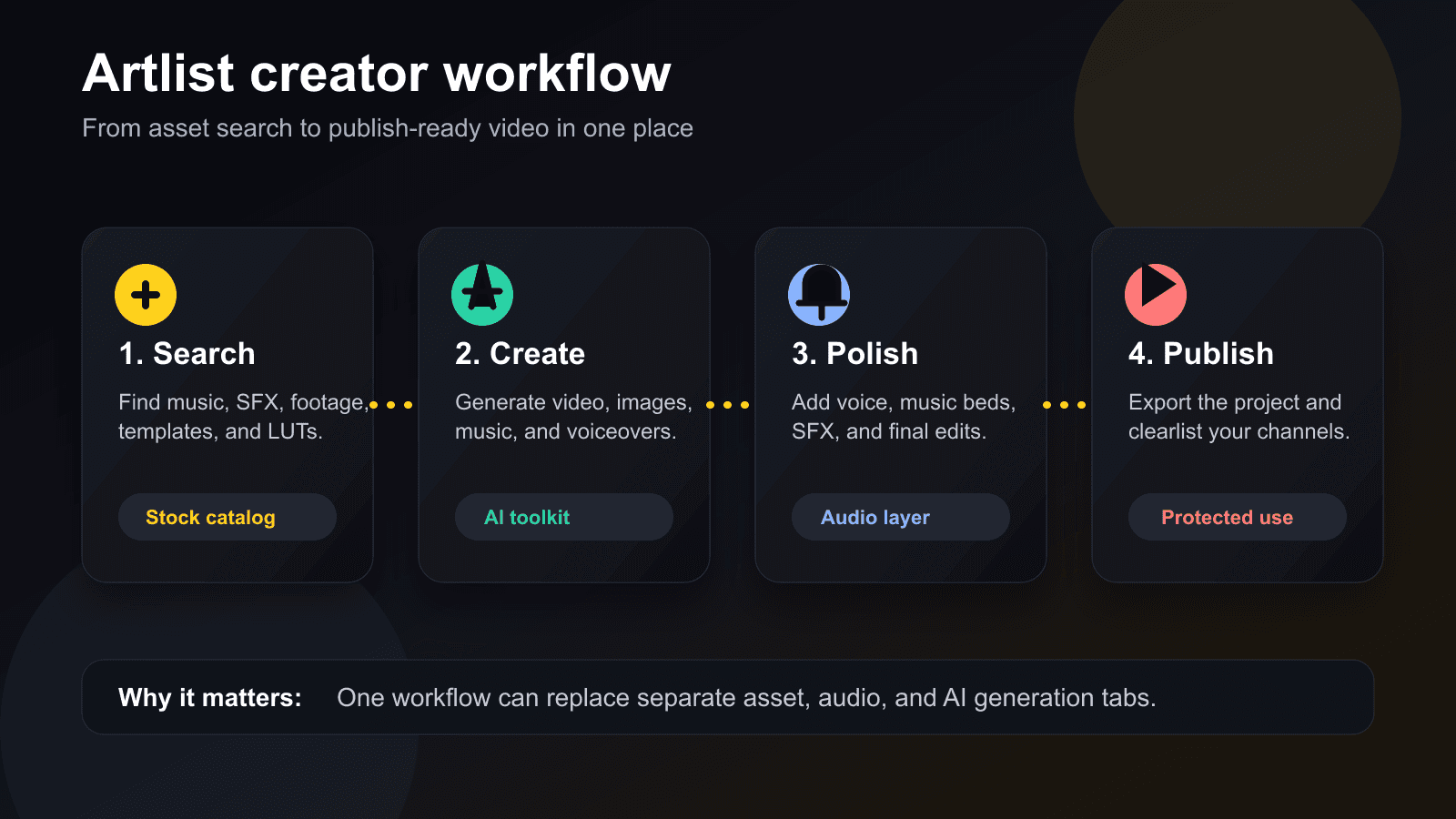
The benefit is not that every feature is best-in-class by itself. The benefit is that these features fit the same creator workflow:
Search, preview, generate, download, polish, publish.
That sounds boring until a client asks for a new intro, a different music mood, two vertical versions, and a less corporate voiceover by 5 p.m.
What to watch:
AI credits sit behind pricier tiers and do not roll over. If you do not use the month's allowance, it resets to zero, so an AI-heavy plan only pays off if you actually use the capacity.
Your license is tied to your publish date, not your download date. Projects published while your subscription is active stay covered even after you cancel, but anything you publish after your subscription lapses is not. That is worth planning around, not a minor footnote.
Some Trustpilot reviews describe the pricing structure as confusing and cancelling or downgrading an annual plan as difficult. Read the plan terms before you commit to annual billing.
The AI Toolkit is good for drafts, not a guaranteed win against a dedicated specialist tool. If you need the deepest possible control over one output, a narrow tool built for exactly that job can still out-perform Artlist's generalist toolkit.
Artlist AI Toolkit Review
The Artlist AI Toolkit is useful if you want AI generation inside a creator workflow, not if you want the deepest standalone AI tool for every task.
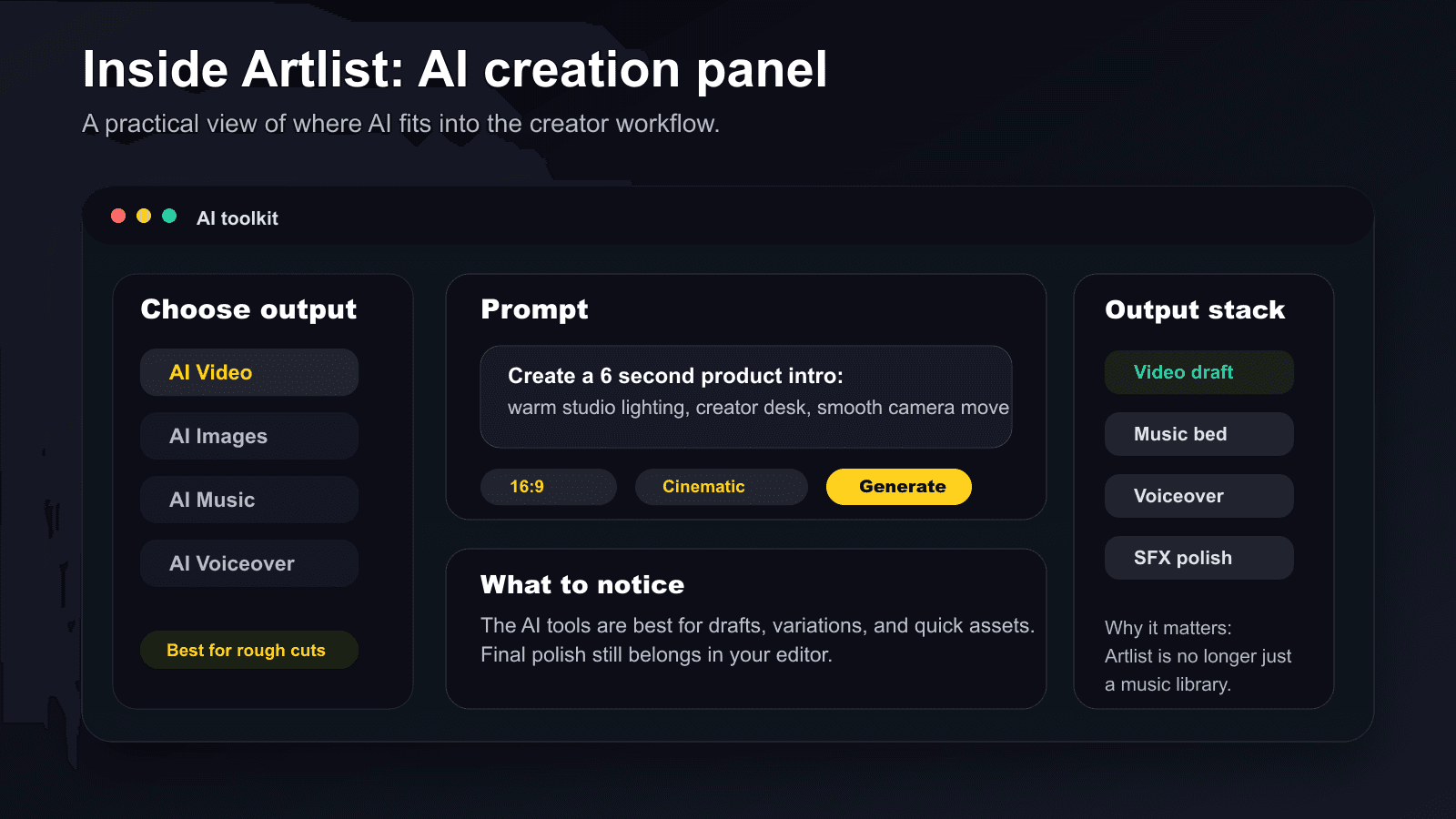
Artlist says the AI Toolkit covers AI image, AI video, AI music, and AI voiceover generation. It also supports workflows like text-to-video, image-to-video, text-to-image, image-to-image, text-to-music, text-to-voice, voice cloning, lip sync, and AI dubbing.
That is a lot. The honest question is: which of these would a creator actually use during normal production?
For most creators, the practical AI jobs are:
drafting a visual idea before filming
generating a quick background visual
testing multiple campaign directions
creating a temporary voiceover
making a music bed for an edit
turning a product or concept into rough b-roll
producing internal drafts before spending real production money
The AI Toolkit is not a replacement for taste. Nothing is. Annoying, but true.
Where it helps is the blank-page moment. Instead of starting from nothing, you can start with a rough shot, a mood, a track, a narration, or a campaign concept. Then you refine it in your actual editor.
That is the right expectation.
Use Artlist AI for drafts, variations, concept visuals, quick audio beds, simple voiceovers, and social creative. Use specialist tools when you need maximum model control, advanced character consistency, precise camera settings, or professional AI film production.
Artlist Pricing in 2026
Artlist pricing depends on whether you need stock assets, AI tools, or both.
Pricing checked: August 5, 2026.
Artlist's official pricing guide lists prices in USD and says prices exclude VAT. Checkout may show different currency or taxes depending on your location, so treat these prices as a snapshot.
Plan Type | Pricing Signal | Best For |
|---|---|---|
AI Starter | Starts at $15.99/month monthly or $9.99/month billed annually | Creators testing AI generation |
AI Creator | Starts at $69.99/month monthly or $41.67/month billed annually | Regular AI image, video, voice, and music use |
AI Professional / AI Pro | Starts at $399.99/month monthly or $239.99/month billed annually | Heavy AI creators and production teams |
AI Pro Plus | Starts at $1,599.99/month monthly or $959.99/month billed annually | High-volume AI production |
Artlist Max Pro | Starts at $39.99/month billed annually | Stock catalog plus AI tools |
Music & SFX Social | $14.99/month monthly or $9.99/month billed annually | Personal social creators |
Music & SFX Pro | From $16.58/month billed annually for music, or $24.92/month billed annually for music and SFX | YouTubers, freelancers, editors, and client work |
Footage & Templates | $31.99/month billed annually | Editors who mainly need visual assets |
Business / Enterprise | Custom | Agencies, large companies, broadcasters, and enterprise teams |
The practical advice is simple:
Do not buy the biggest plan because it looks impressive. Buy the smallest plan that covers your next 30 days of work.
If you only need music for YouTube, start with a music-focused plan. If you mainly need b-roll and templates, look at Footage & Templates. If you want music, SFX, footage, templates, AI video, AI images, AI voiceover, and AI music together, Artlist Max is the more natural fit.
If your work is mostly AI generation, look at AI Creator or higher. Also remember that Artlist says credits renew monthly and unused credits do not roll over, so heavy plans only make sense if you will actually use the capacity.
Artlist License Explained
Artlist's license is one of the biggest reasons to consider the platform, but it is still a license, not magic.
The official Artlist license has Social and Pro / Business license types. The stock catalog includes music, sound effects, footage, and video templates. AI output refers to content created through Artlist's AI services, such as voiceovers, footage, audiovisual content, and still images.
The key rule creators care about:
Projects created with downloaded assets and published during an active subscription can remain published and monetized after your subscription expires. New projects after expiry are not covered.
In plain English: download, create, and publish while your account is active.
Artlist also says assets should be used inside your projects, not sold, redistributed, uploaded, or reused as standalone files. You are buying usage rights for covered projects, not ownership of the raw assets.
Before publishing, check:
Is this asset covered by my plan?
Is my channel, client, paid ad, or business use covered?
Am I publishing during an active subscription?
Am I using the asset inside a real project, not as a standalone file?
Have I saved proof of the asset and license?
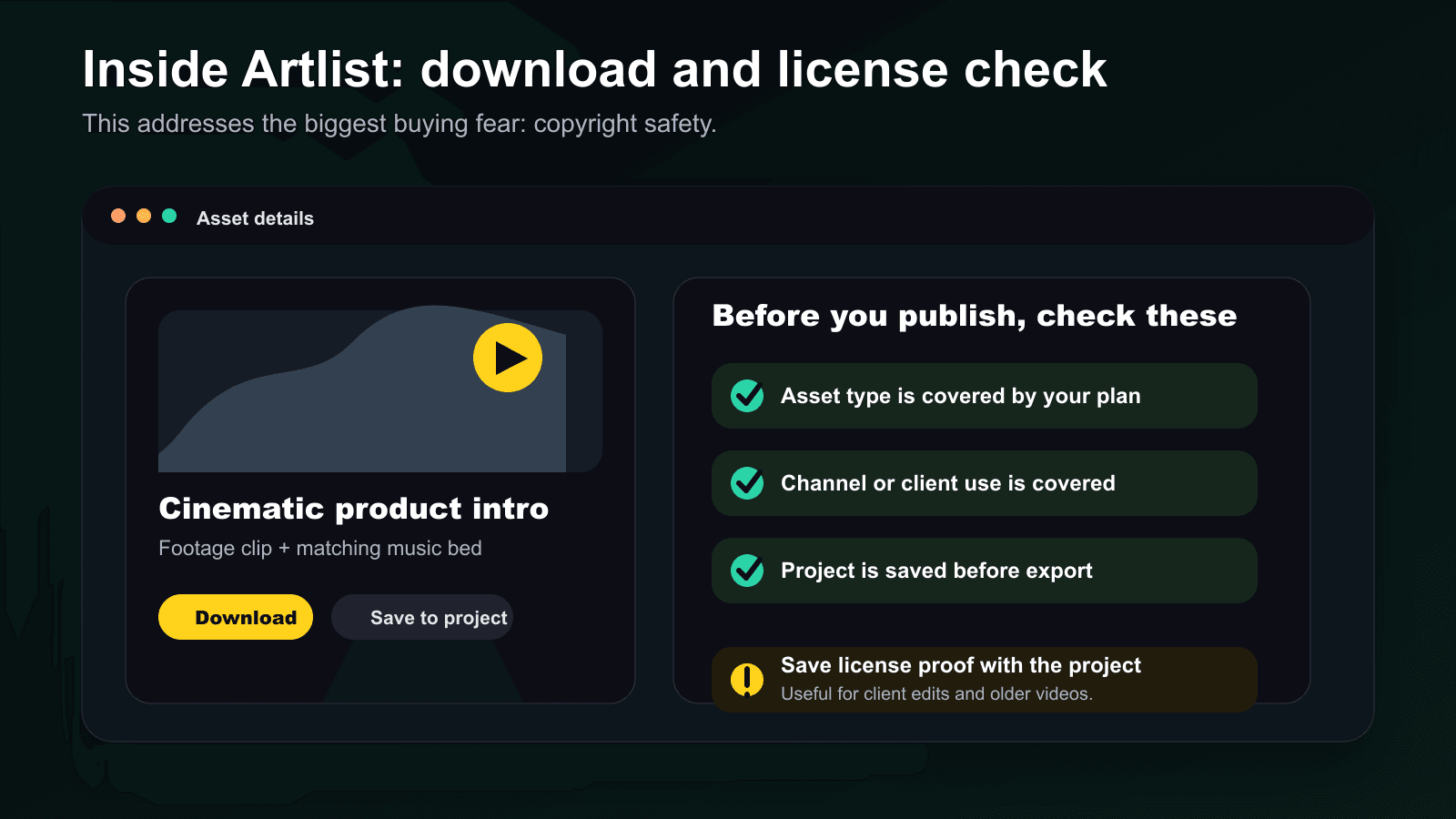
This is the unglamorous part of creator work. It is also the part that can save you from losing monetization or having an awkward client conversation later.
Artlist vs Competitors
Artlist is best compared against two groups: asset libraries and specialist AI tools.
Tool | Best For | Where Artlist Wins |
|---|---|---|
Envato Elements | Huge design and template library | Artlist feels more video-first and licensing is easier for creator workflows |
Epidemic Sound | Music and sound effects | Artlist adds footage, templates, AI video, AI image, and AI voiceover |
Runway | Advanced AI video generation | Artlist adds stock assets, music, SFX, voice, and licensing in one workflow |
ElevenLabs | Specialist AI voice generation | Artlist is broader for creators who need voice plus music, stock, and AI visuals |
If you only need voice, compare ElevenLabs first. If you only need advanced AI video, look at Runway. If you mainly need a giant template marketplace, Envato Elements deserves a look. If you only need music and SFX, Epidemic Sound and Artlist are both worth comparing.
But if you want to make videos with fewer subscriptions, Artlist becomes more interesting.
That is the trade-off:
Choose Artlist for speed and workflow simplicity. Choose specialist tools when deep control matters more than convenience.
Who Should Use Artlist?
Artlist is a good fit if you create video content regularly and want fewer moving parts in your production setup.
Use Artlist if:
You publish YouTube videos, shorts, reels, ads, courses, explainers, or client videos every month.
You need music, sound effects, footage, templates, and AI tools in one workflow.
You care about licensing for monetized content or client projects.
You work with editors, marketers, agencies, educators, or freelancers.
You want AI generation without managing a separate tool for every output.
Skip Artlist if:
You only need one song every few months.
You already have a specialist tool stack that works.
You need maximum AI video control above everything else.
You mainly create static design work, not video.
You do not want to read license rules before publishing paid or client work.
For YouTube creators specifically, Artlist makes the most sense if you publish often. Background music, intro tracks, transition sounds, b-roll, templates, and voiceover all matter more when video is a repeatable production workflow, not a once-in-a-while upload.
Is Artlist Worth the Price?
Artlist is worth the price if it replaces multiple tools or saves enough production time to justify the subscription.
The wrong way to judge Artlist is to ask, "Can I find cheaper music somewhere else?"
Of course you can.
The better question is whether Artlist replaces enough of your creator stack to make the subscription feel practical.
Artlist becomes easier to justify when it replaces:
a music subscription
an SFX library
a stock footage site
a template marketplace
an AI video tool for drafts
an AI image generator for quick visuals
an AI voiceover tool for simple narration
a licensing headache
If it only replaces one of those, think carefully. If it replaces three or more, the math starts looking better.
Final Verdict: Should You Use Artlist?
Artlist is not the cheapest creator tool in 2026. It is also not the deepest standalone AI video generator, the strongest specialist voice tool, or the biggest design marketplace.
But that is not really its job.
Artlist's job is to make video creation less fragmented.
It gives creators a stock catalog, music, sound effects, templates, AI video, AI images, AI music, AI voiceover, and a clearer licensing structure in one place.
Try Artlist if you are a YouTuber, editor, marketer, agency, educator, or freelancer who makes video content regularly and wants a cleaner production workflow.
Skip it if you only need one narrow tool or you already have specialist apps that do exactly what you need.
For most serious creators, Artlist is not just a music library anymore. It is a practical creative operating system.
Curious to see how it performs?
Try
Artlist
Now
GOT ANY QUESTIONS LEFT?
Is Artlist worth it in 2026?
Is Artlist copyright free?
What happens if I cancel Artlist?
Which Artlist plan should I choose?


