
If you buy through a link on this page, we may earn a commission, at no extra cost to you.
Descript review, the short version: Descript turns video and podcast editing into deleting text from a document, and that alone makes it one of the fastest ways to cut a talking-head video or a podcast episode. The catch is a monthly AI credit meter that runs dry faster than you'd like, and a habit of stuttering on long or heavy recordings.
Picture the old way of editing a podcast. You scrub through a waveform, squint at tiny peaks and valleys, and manually snip out every "um," every dead pause, every time your guest said "so, yeah" for the fourth time. An hour of raw audio can eat an entire afternoon.
Descript's whole pitch is that you shouldn't have to do that by hand anymore. It transcribes your recording into a text document, and editing the document edits the video or audio automatically. Delete a sentence, and the matching clip vanishes with it. No timeline to scrub, no waveform to squint at.
This review covers what Descript actually does well, where it gets clunky, what it costs as of July 2026, and who should (and shouldn't) hand it their credit card.
How we put this Descript review together
This review is built from Descript's own site, product pages, and pricing page, all checked the day this was written, cross-checked against its G2 rating (4.6/5 from 865 reviews) and Capterra rating (4.8/5 from 173 reviews), plus recurring themes from Reddit threads and independent reviewers. Where a claim couldn't be independently verified, we've said so instead of guessing.
Descript review: quick verdict
Metric | Detail |
|---|---|
User ratings | 4.6/5 on G2 (865 reviews) · 4.8/5 on Capterra (173 reviews) · 7.5/10 AIwithKay Score |
Best for | Podcasters, YouTubers, and course creators editing dialogue-heavy video |
Price range | Free (60 minutes/month) up to $50/month per seat (Business, billed annually); paid plans start at $16/month billed annually |
Bottom line | The fastest way to edit talking video is by editing text. Just budget for the AI credit meter and don't push your longest recordings through it. |
What we like and what needs attention
What works well:
Transcript-based editing turns cutting a podcast or talking-head video into deleting a sentence, dramatically faster than timeline scrubbing for dialogue-heavy content
Studio Sound cleans up rough audio, echo, background noise, thin mic sound, in one click
Filler-word removal strips "ums" and "likes" without hunting for each one manually
One app covers recording, editing, cleanup, captions, and publishing, so you're not juggling four separate tools
A genuinely usable free plan (60 minutes/month) to test before paying anything
What to watch:
Longer recordings, past about an hour, can lag, stutter, or crash, a recurring complaint across review sites
Export controls are limited, you don't get the fine compression and quality dials a dedicated video editor gives you
Multicam work and precise visual edits feel clunky next to Premiere Pro or DaVinci Resolve
Monthly AI credits run out fast if you lean on Studio Sound or Overdub, nudging you toward the next plan up
Some users report lost edits and reliability hiccups on longer projects
What is Descript?
Descript is a cloud-based video and podcast editor built around one idea: edit the transcript, and the media follows. It's aimed at people whose content is mostly talking, YouTubers, podcasters, course creators, marketers recording demos, rather than filmmakers cutting b-roll and color grading footage.
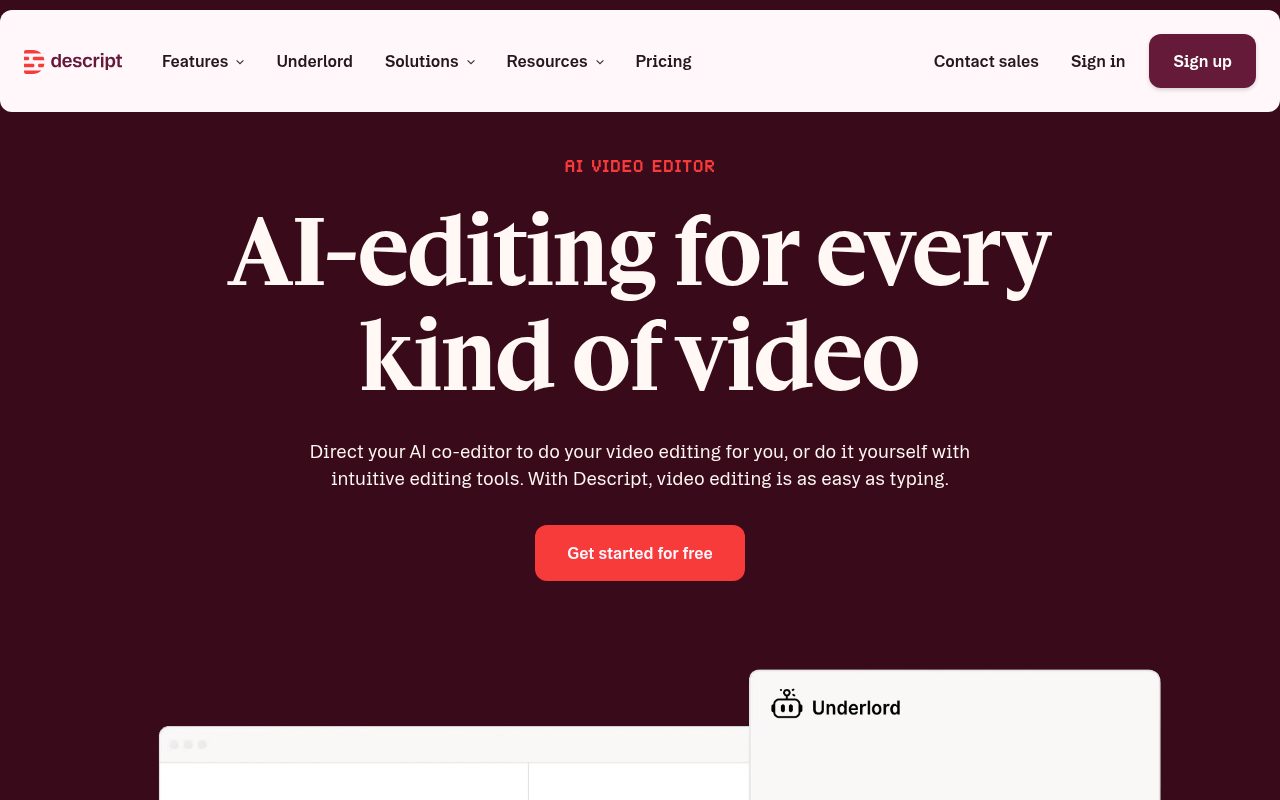
The company built its reputation on that text-based editing trick, but it's added a lot around it since: automatic transcription, Studio Sound audio cleanup, filler-word removal, eye contact correction, voice cloning, and more recently Underlord, an "agentic" AI co-editor you can direct in plain English, like removing all the retakes and tightening the pacing, and it goes and does it.
Key features
Text-based editing. Cut, reorder, or delete a line of speech by editing the transcript, and the video or audio clip updates to match automatically.
Automatic transcription and captions. Every recording gets transcribed on upload, and captions can be generated and styled for social clips in a couple of clicks.
Studio Sound. One-click AI audio cleanup that removes background noise and echo and can make a laptop mic sound closer to a studio one.
Filler word removal. Finds and strips "um," "uh," and other verbal tics across an entire recording at once.
Eye contact correction. Nudges on-camera eye position so someone reading off-screen notes still looks like they're looking at the lens.
Green screen removal without a green screen. Swaps out a background using AI instead of requiring an actual physical green screen setup.
Overdub (voice cloning). Trains a synthetic version of your own voice so you can fix a flubbed line by typing new text instead of re-recording.
Underlord AI co-editor. An agentic assistant that can rough-cut a video for you based on a plain-English instruction.
Rooms for remote recording. Record multiple people in different locations, each in local high quality, without them needing a Descript account.
Automatic social clips. Pulls short, captioned clips out of a longer recording for TikTok, Reels, and Shorts.
Multilingual dubbing. Translates and dubs a finished video into other languages on the Business plan and above.
How Descript actually performs
Think of Descript like using "Find and Replace" on a video. Instead of hunting through minutes of footage for one bad take, you scan the transcript, spot the sentence you don't want, hit delete, and move on. For anything that's mostly one or two people talking to a camera or a microphone, that's a genuinely different way of working, not just a faster version of the old one.
Studio Sound is the feature reviewers bring up unprompted most often. It isolates the voice in a recording and effectively regenerates cleaner audio around it, which matters a lot for anyone recording on a laptop mic in a room with a hum or an echo instead of a treated studio.
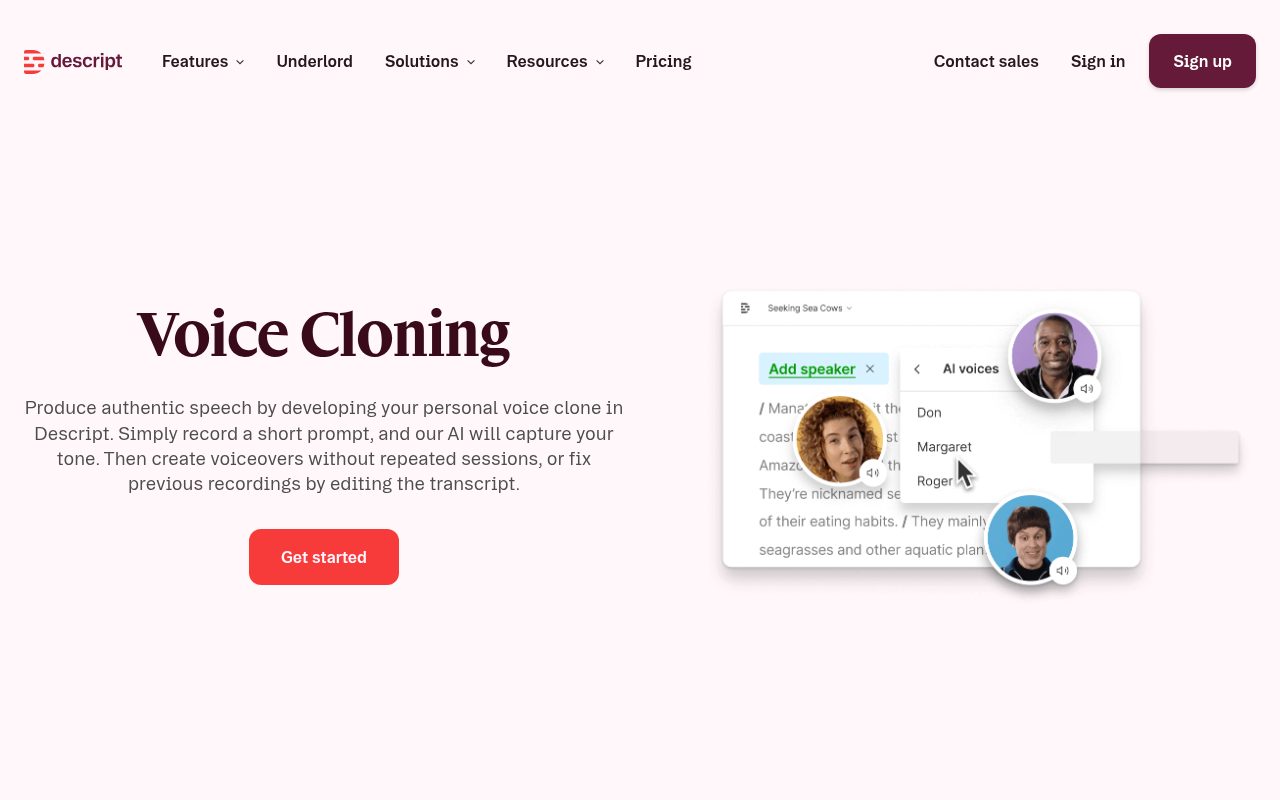
Overdub is the feature that sounds like a gimmick until you actually need it. Flub one line in an otherwise perfect take? Instead of re-recording the whole segment, you type the corrected sentence and your voice clone says it for you. Descript requires consent-based training and recommends at least 30 minutes of your own speech to get a clone that sounds convincingly like you, so it's not an instant swap, but it's a real time-saver for small fixes.
Here's the part that's less fun to write about. Reviewers on Capterra and G2 repeatedly flag two things: performance on longer files, and reliability of saved edits. One recurring complaint describes a project that looked fully edited when it was closed, then reopened months later with cuts and effects missing. Long recordings, especially past the one-hour mark, are also where people report the most lag and the occasional crash. None of this means the app is unstable for a 10-minute podcast segment, but if you're editing multi-hour interviews regularly, budget extra time for double-checking your export before you trust it's final.
So what does this mean for you? If your recordings run under an hour and you mostly need to cut, clean up, and caption spoken content, Descript will likely save you real time. If you're routinely editing long-form, multi-hour recordings or need frame-precise visual control, treat it as a first-pass tool and keep an eye on your exports rather than your only safety net.
Descript pricing: is it worth it?
Plan | Price | What you get |
|---|---|---|
Free | $0 | 60 media minutes/month, 100 AI credits (one-time), 720p export with a watermark |
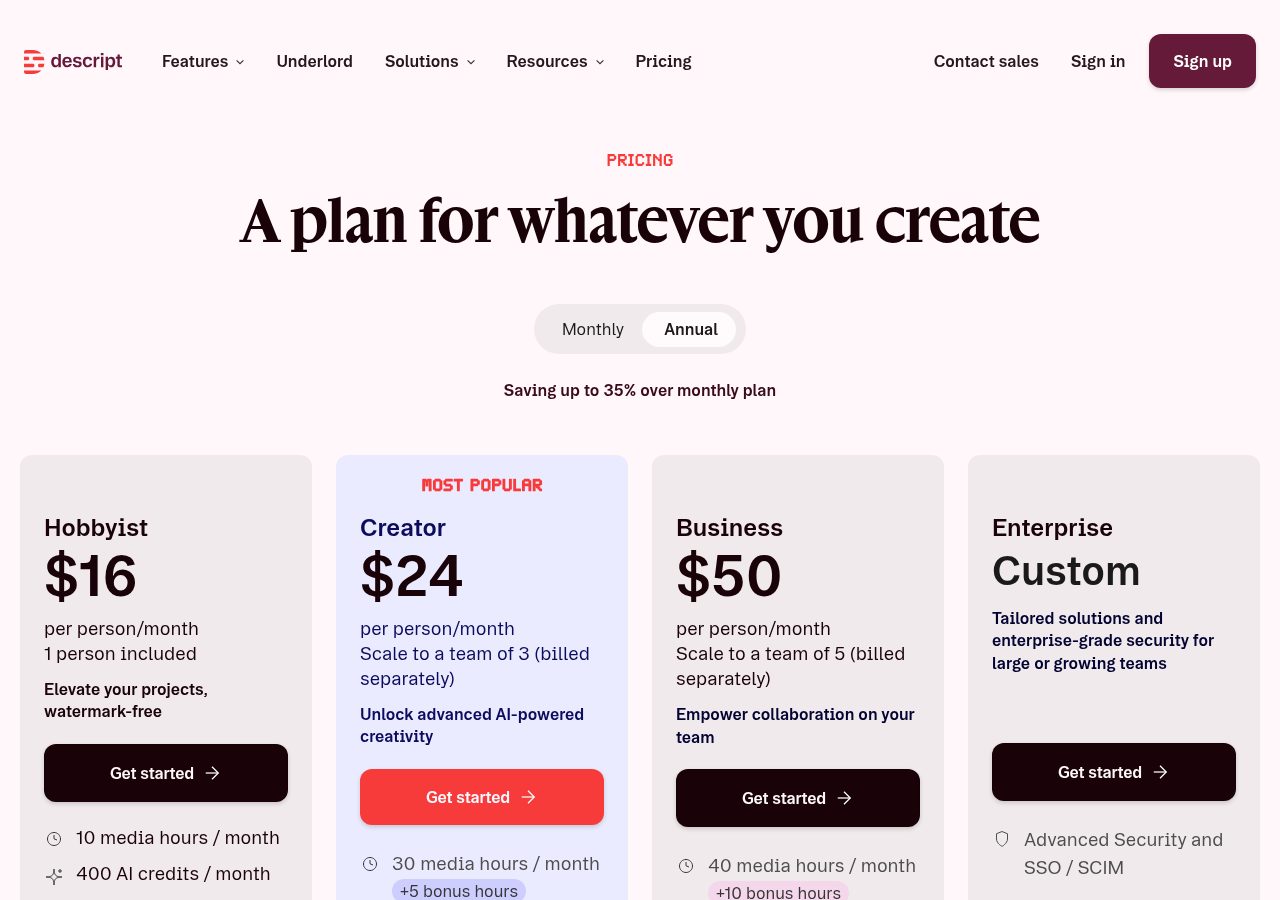
Hobbyist | $16/mo billed annually ($24/mo billed monthly) | 10 media hours/month, 400 AI credits/month, 1080p export, watermark-free |
Creator | $24/mo billed annually ($35/mo billed monthly) | 30 media hours/month (+5 bonus), 800 AI credits/month (+500 bonus), 4K export, full Underlord access |
Business | $50/mo billed annually ($65/mo billed monthly) | 40 media hours/month (+10 bonus), 1,500 AI credits/month (+1,000 bonus), Brand Studio, translation/dubbing in 30+ languages |
Enterprise | Custom | SSO/SCIM, advanced security, custom AI credit allowances |
Verified on Descript's pricing page the day this was written.
The free plan is enough to genuinely test the transcript-editing workflow before you pay anything, 60 minutes covers a couple of short podcast episodes or several social clips. Where it gets tight is the AI credit allowance on every paid tier. Studio Sound, filler-word removal, and Overdub all draw from the same monthly credit pool, so a creator who leans hard on AI cleanup can burn through Hobbyist's 400 credits well before the month is up. For most solo podcasters and YouTubers, Creator at $24/month billed annually is the realistic starting point rather than Hobbyist, simply because the credit buffer is roughly double.
Descript vs the competition
Tool | Best for | Starting price | Key difference |
|---|---|---|---|
Descript | Editing talking-head video and podcasts by text | Free, Hobbyist $16/mo (annual) | Only major editor built entirely around transcript editing |
Riverside | Recording remote podcast/video interviews in high local quality | Free, Standard $15/mo (annual) | Stronger at the recording side, weaker at deep text-based editing |
CapCut Pro | Fast social-first video edits and templates | Free, Pro $19.99/mo | Cheaper and more template-driven, no transcript-based editing |
Adobe Premiere Pro | Frame-precise, professional-grade video editing | $22.99/mo (annual, paid monthly) | Far more editing control and multicam support, no text-based workflow, steeper learning curve |
If your bottleneck is recording quality across remote guests, Riverside is worth comparing. If you just need quick, trend-driven social edits, CapCut is cheaper and more template-heavy. If you need frame-precise multicam control that Descript admittedly struggles with, Premiere Pro is the safer, if pricier and harder to learn, choice. Descript's edge is that no other tool on this list lets you edit a video by editing a document.
If you're piecing together a full AI video stack rather than just an editor, Descript tends to sit alongside other tools rather than replace them. We've separately covered HeyGen for AI avatar video and Synthesia for enterprise avatar video, both worth a look if part of your workflow needs a presenter who was never actually on camera.
Who it's best for (and who should skip it)
Best for: podcasters and YouTubers editing dialogue-heavy content, course creators turning webinars into lessons, marketers who need clean demo or testimonial videos without hiring an editor, and anyone who wants captions, filler-word removal, and audio cleanup handled automatically.
Skip it if: you're cutting long-form multicam footage, need frame-accurate color grading and export control, work with recordings regularly over an hour, or you'd burn through the AI credit allowance every single week and can't justify upgrading plans to cover it.
FAQ
Is Descript free to use? Yes. The free plan gives you 60 minutes of media a month and 100 AI credits to try Studio Sound, filler-word removal, and other AI features, with exports capped at 720p and watermarked.
What is Underlord in Descript? Underlord is Descript's AI co-editor. You give it a plain-English instruction, like removing retakes or tightening pacing, and it edits the transcript and the matching video on your behalf rather than just suggesting a change.
Does Descript struggle with long recordings? Users and reviewers on G2 and Capterra consistently report lag, slowdowns, and occasional crashes on recordings over about an hour. Shorter, dialogue-focused files are where it performs most reliably.
Is Descript better than Premiere Pro or CapCut? Descript is faster for editing spoken content by text, Premiere Pro gives far more precise visual and multicam control, and CapCut is cheaper and quicker for template-driven social clips. Pick based on whether your bottleneck is dialogue editing, professional finishing, or fast social output.
What happens when I run out of AI credits? Once your monthly AI credit allowance runs out, AI-powered features like Studio Sound, Overdub, and filler-word removal stop working until the next billing cycle or you upgrade to a plan with a bigger allowance.
Can Descript clone my voice? Yes, through Overdub. It requires your consent and recommends at least 30 minutes of your own recorded speech to train a voice clone convincing enough for production use.
Final verdict
Descript earns its reputation honestly. Editing a podcast or a talking-head video by deleting text instead of scrubbing a timeline is a genuinely faster way to work, and Studio Sound alone can rescue a rough recording. The rough edges are real too, the AI credit system meters exactly the features that make Descript worth using, and longer or heavier projects are where reviewers report the most friction.
If most of what you edit is people talking, on a podcast, a course, a YouTube channel, Descript is one of the fastest tools available for it. Start on Descript's free plan and see how far 60 minutes a month gets you before deciding if a paid tier earns its keep.
Curious to see how it performs?
Try
Descript
Now


