
If you buy through a link on this page, we may earn a commission, at no extra cost to you.
Opus Clip review, the short version: it is one of the fastest ways to turn a long video into a stack of short, captioned, vertical clips, and its Virality Score is a genuinely useful shortcut for deciding what to post first. The catch is a credit system that charges you for every minute of source footage, not every clip you keep, and a real chunk of users report clips that get stuck mid-process.
You just finished a 90-minute podcast recording. Somewhere in there are three or four clips that could actually do numbers on TikTok or Reels. Finding them, cutting them, captioning them, and reframing them for vertical screens, by hand, is a Tuesday afternoon you do not have.
That is the exact problem Opus Clip was built to solve. Upload or link a long video, and its AI finds the moments worth clipping, reframes them for 9:16, adds captions, and ranks each one by how likely it is to perform.
This review covers what Opus Clip actually does well, where it falls short, what it costs today, and whether it is worth it in 2026.
How we put this Opus Clip review together
This review is built from Opus Clip's own site and pricing page, checked the day this was written, cross-checked against its G2 rating and Trustpilot rating, plus recurring themes from Reddit threads and independent reviewers. Where a claim could not be independently verified, we have said so rather than guessed.
Opus Clip review: quick verdict
Metric | Detail |
|---|---|
User ratings | Around 4.6/5 on G2 (100+ reviews) and 4.0/5 on Trustpilot (300+ reviews, but 22% are 1-star) |
Best for | Podcasters, interviewers, and creators repurposing long-form video into short clips at volume |
Price range | Free (60 minutes/month) to Starter $15/month, Pro $29/month ($14.50/month billed annually) |
Bottom line | Fast, largely one-click clipping with a genuinely useful Virality Score. Budget for the credit system and expect some processing hiccups. |
What we like and what needs attention
What works well:
A fast, largely one-click workflow, drop in a link or file and get captioned, reframed clips back without touching a timeline
Virality Score is a genuinely useful signal, independent testing has found top-scored clips do tend to outperform randomly picked segments
Strong caption accuracy, Opus Clip cites 95%+ on clean audio across 25+ languages
ClipAnything handles a wide range of content, not just talking-head podcasts, vlogs, gaming, sports, and interviews all work reasonably well
A real free plan (60 processing minutes a month) to test quality before paying anything
What to watch:
Credits are charged by source video length, not by clips produced, so a 60-minute upload burns 60 credits even if you only keep one clip
Gets expensive fast for high-volume creators, the Pro plan's 300 minutes a month disappears quickly if you are processing several long podcasts monthly
Frequent processing failures are the most cited complaint on Trustpilot, alongside slow support and cancellation friction
Accuracy drops on messier source material, crosstalk, heavy B-roll, or technical jargon, so expect to manually discard a real share of generated clips
Deeper editing tools stay paywalled even on paid tiers
What is Opus Clip?
Opus Clip (built by the company behind opus.pro) is an AI video repurposing tool that turns long recordings, podcasts, webinars, livestreams, into short vertical clips ready for TikTok, Reels, and YouTube Shorts. You give it a video, and it finds the strongest moments, reframes them, captions them, and scores them.
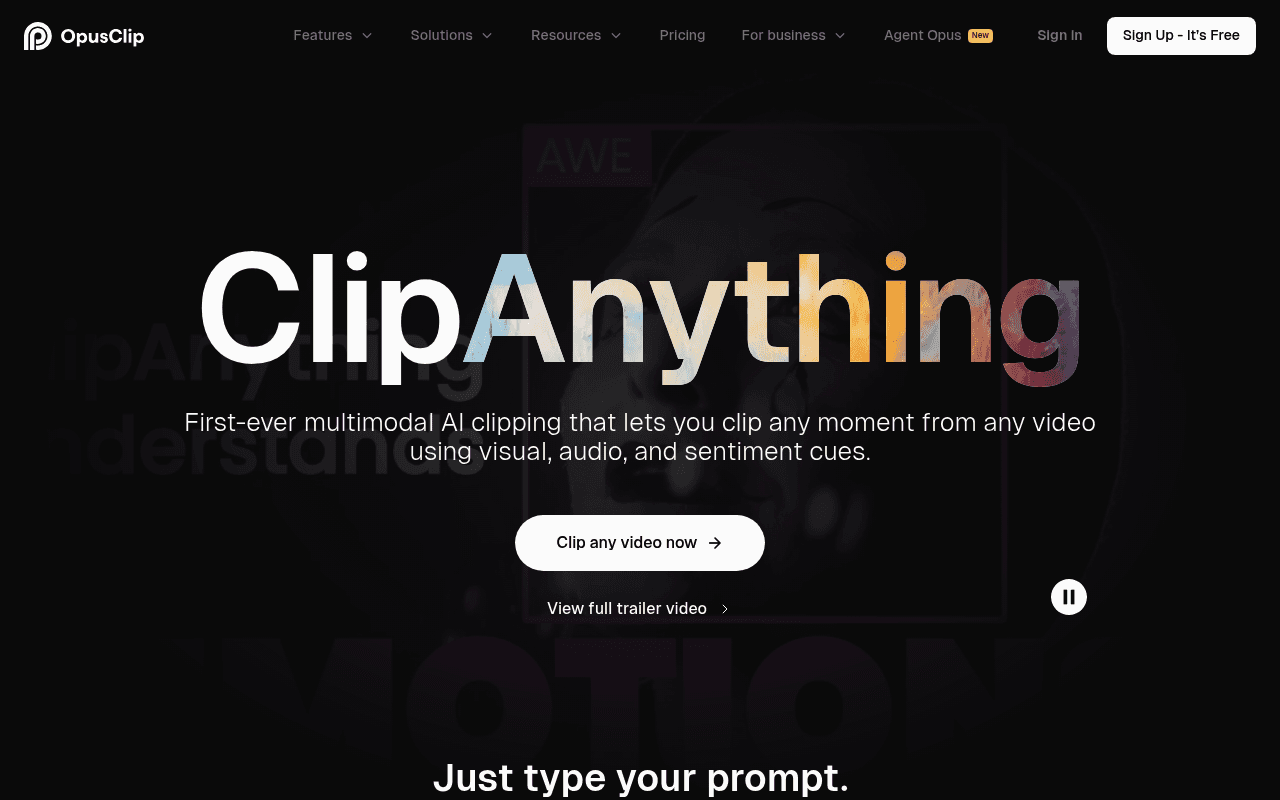
It is built around a model called ClipAnything, which is genre-agnostic. Instead of only understanding talking-head podcasts, it uses visual, audio, and sentiment cues, so it can find viral moments in vlogs, gaming footage, sports highlights, and interviews too.
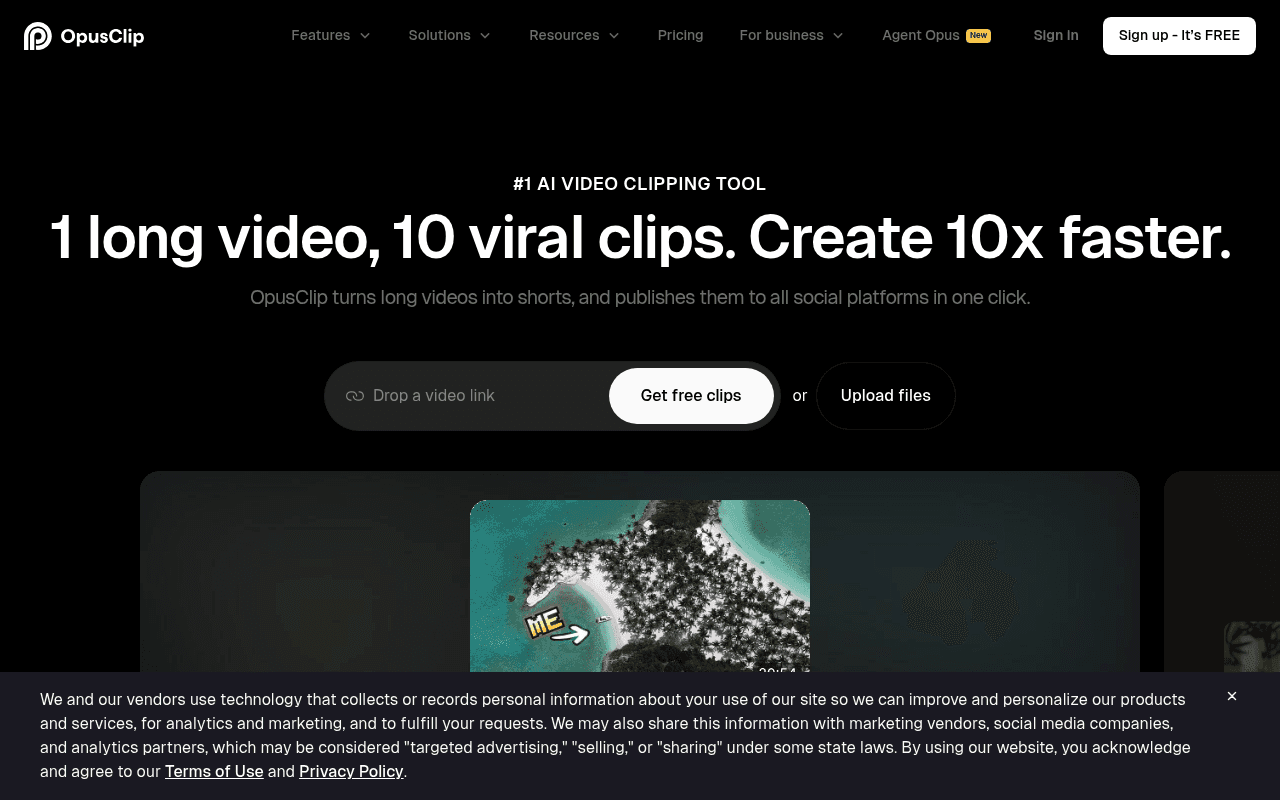
The scale behind it is real. Opus Clip says it is used by 16M+ creators and businesses, with names like Logan Paul and Mark Rober among its users, and brands like Visa and Nvidia on its customer list. That scale is also part of why reliability complaints show up as often as they do, more volume means more edge cases breaking.
Opus Clip only handles the repurposing side, it does not generate the source video itself. If you need an AI presenter to record that long-form video in the first place, our HeyGen review and Synthesia review cover the two leading options for that earlier step.
Key features
ClipAnything. Opus Clip's multimodal clip-selection model. You can type a plain-language prompt (find the funniest moment, find where they talk about pricing) and it scans the whole video for that moment using visual, audio, and sentiment analysis, not just the transcript.
ReframeAnything. Automatic reframing that uses AI object tracking to keep a moving subject centered as it converts horizontal footage into 9:16, 1:1, or other vertical formats, without you manually keyframing anything.
Auto-captioning. Animated captions generated automatically, with roughly 95%+ accuracy on clean audio, across 25+ languages, styled to match whatever brand template you have set up.
Virality Score. Every generated clip gets ranked by predicted performance, so instead of scrubbing through 20 clips guessing which to post first, you start with the highest-scored one.
One-click publishing. Push finished clips straight to YouTube Shorts, TikTok, and Instagram from inside Opus Clip, no separate export-then-upload step.
Team workspaces and brand templates. Higher tiers add multi-seat workspaces, saved brand templates for consistent caption styling, and API access for teams building clipping into their own pipeline.
Paid plans also include an AI B-roll generator for filling gaps in a clip. If you'd rather pull from a licensed stock library instead, our Artlist review covers a solid alternative source for music and footage.
How it actually performs
Think of Opus Clip like a very fast intern who has watched thousands of viral videos and can spot a good moment in seconds, but who occasionally falls asleep halfway through a long file and needs you to nudge them awake.
We have not run Opus Clip on our own footage for this review, so what follows is drawn from user reports on G2, Reddit, and independent reviewers, not a first-hand test. Read it as a summary of what real users describe, not our own hands-on verdict.
The core loop, at least as reviewers describe it, works largely as advertised. Drop in a link or upload a file, and within minutes you get back a set of clips, already captioned, already reframed, already ranked. Podcasters and interviewers report regularly seeing 80%+ usable clip rates from clean, single-speaker recordings, meaning most of the work left is trimming and picking favorites, not starting from scratch.
That number flips for messier source material. Reviewers processing multi-speaker audio, heavy crosstalk, or dense technical jargon commonly report discarding 20% to 40% of generated clips as unusable, closer to a first draft than a finished product. On top of that, Opus Clip's own help center has a dedicated article on why a task might fail or run long, an acknowledgment that processing time and reliability scale with file length and audio quality, not a guarantee either stays predictable.
The reliability complaints on Trustpilot follow the same pattern: users describe tasks that hang in "processing" for far longer than expected, occasionally never finishing at all, with the refund path for a failed render described as hard to find and slow to resolve.
So what does this mean for you? If your source video is a clean, single-speaker recording, Opus Clip will save you real hours. If you are feeding it messy multi-camera footage or a noisy live recording, budget extra time to manually review and discard the clips that miss.
Pricing: is it worth it?
Plan | Price | What you get |
|---|---|---|
Free | $0 | 60 processing minutes/month, watermarked exports, single brand template |
Starter | $15/month | 150 processing minutes/month, watermark-free exports, Virality Score, auto-post to YouTube Shorts/TikTok/Reels |
Pro | $29/month ($14.50/month billed annually, $174/year) | 300 processing minutes/month (3,600/year), 2 team seats, AI B-roll, export to Premiere Pro and DaVinci Resolve |
Business | Custom | Priority processing, custom credit pools, dedicated storage, API and custom integrations |
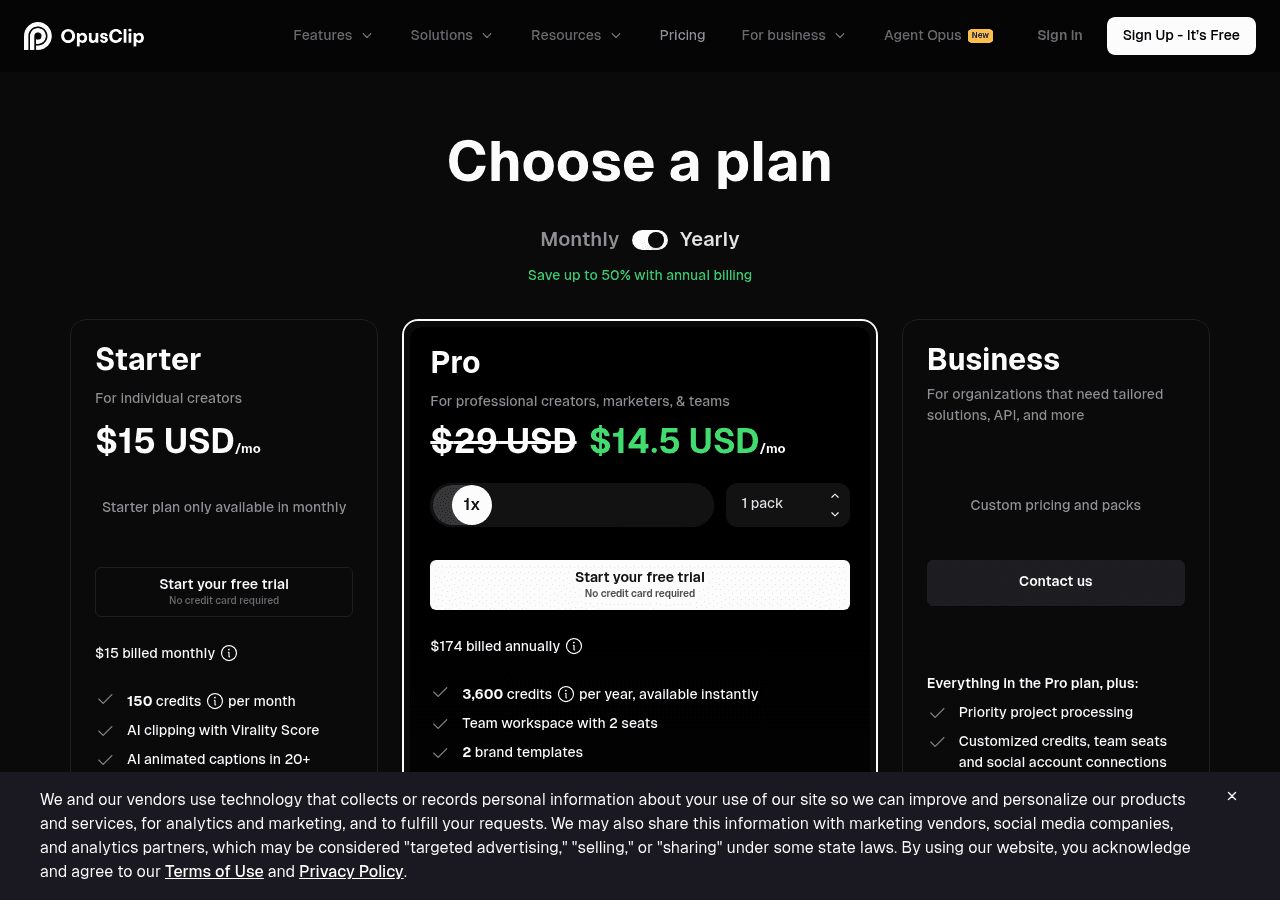
Verified on Opus Clip's pricing page the day this was written (July 2026).
Here is the part that trips people up: credits are billed by source video length, not by how many clips you keep. One credit equals one minute of the video you upload. A 60-minute podcast costs 60 credits whether Opus Clip hands you back one usable clip or ten. If you are processing several long podcasts a month, the 300-minute Pro allowance runs out faster than the price tag suggests.
The free plan is genuinely useful for testing whether the AI selection and caption quality fit your content before paying anything. For most solo creators publishing weekly, Starter at $15/month is the realistic entry point. Anyone processing multiple long-form videos a week should plan around Pro, and go in expecting to top up with extra minute packs if volume climbs.
Opus Clip vs the competition
Tool | Best for | Starting price | Key difference |
|---|---|---|---|
Opus Clip | Genre-agnostic auto-clipping at volume | Free, Starter $15/mo | Virality Score plus ClipAnything's broader content understanding |
Klap | YouTube-to-Shorts repurposing | ~$14/mo (billed yearly) | Clip-count based plans instead of minute credits |
Descript | Transcript-based editing plus clipping | $16/mo (Hobbyist) | A full editing suite, clipping is one feature among many, not the whole product |
Submagic | Caption styling and short-form polish | $19/mo (Starter) | Leans harder into caption design and templates than raw clip selection |
Vizard | Similar credit-by-minute auto-clipping | ~$29/mo (Creator) | Comparable feature set, worth a side-by-side trial on your own footage |
If content understanding across different video genres and a built-in performance prediction matter most, Opus Clip's combination of ClipAnything and Virality Score is hard to match. If you mainly repurpose YouTube-to-Shorts and want clip-count pricing instead of minute credits, Klap is worth comparing. If you want a single tool that also handles full long-form editing, not just clipping, Descript covers more ground.
Who it's best for (and who should skip it)
Best for: podcasters and interviewers publishing clips weekly, YouTubers and streamers who want captions and reframing handled automatically, and marketing teams repurposing webinars or long-form video into short-form content at scale.
Skip it if: your source videos are consistently long and messy (multi-speaker, noisy audio) since the credit system punishes exactly that, you only clip video occasionally (a one-off editor may cost less than a subscription), or reliable, uninterrupted processing is non-negotiable for your workflow.
FAQ
Is Opus Clip free to use? Yes. The free plan includes 60 processing minutes a month with watermarked exports, enough to test clip quality before committing to a paid plan.
How does Opus Clip's credit system actually work? One credit equals one minute of the source video you upload, not one minute of finished clip. A 45-minute podcast costs 45 credits regardless of how many clips you end up publishing.
Is Opus Clip worth it in 2026? For creators publishing short-form clips from clean, single-speaker recordings on a regular schedule, yes, the time saved on manual cutting and captioning is real. For occasional use or very messy source footage, the credit cost and processing reliability issues make it less clearly worth it.
Why do some Opus Clip projects fail to process? Trustpilot's most common complaint, mentioned in roughly 22% of its 1-star reviews, is projects that stall or fail during processing, particularly with longer or lower-quality source files. Opus Clip's own help center acknowledges tasks can take longer or fail depending on file length and quality.
Is Opus Clip better than Klap or Descript? Opus Clip edges ahead on genre-agnostic clip selection and its Virality Score. Klap suits pure YouTube-to-Shorts repurposing with simpler clip-count pricing, while Descript is the better pick if you also want a full transcript-based editor, not just clipping.
What's the cheapest paid Opus Clip plan? Starter, at $15/month, with 150 processing minutes and watermark-free exports. Pro at $29/month ($14.50/month billed annually) adds team seats, AI B-roll, and export to Premiere Pro or DaVinci Resolve.
Final verdict
Opus Clip earns its reputation as one of the fastest ways to go from long video to publish-ready short clips, and the Virality Score is a small feature that solves a real problem: knowing what to post first. The rough edges are just as real, a credit system that charges for source length rather than output, and processing reliability that a meaningful share of users have flagged on Trustpilot.
If your content is clean, single-speaker, and you are publishing clips on a regular schedule, the time saved likely outweighs those downsides. If you are working with messy multi-speaker footage or clip only occasionally, weigh the credit math before committing.
Got a backlog of long-form video sitting unused? Try Opus Clip's free plan and see how its first pass handles your own footage before you pay for anything.
Curious to see how it performs?
Try
Opus Clip
Now


