If you buy through a link on this page, we may earn a commission, at no extra cost to you.
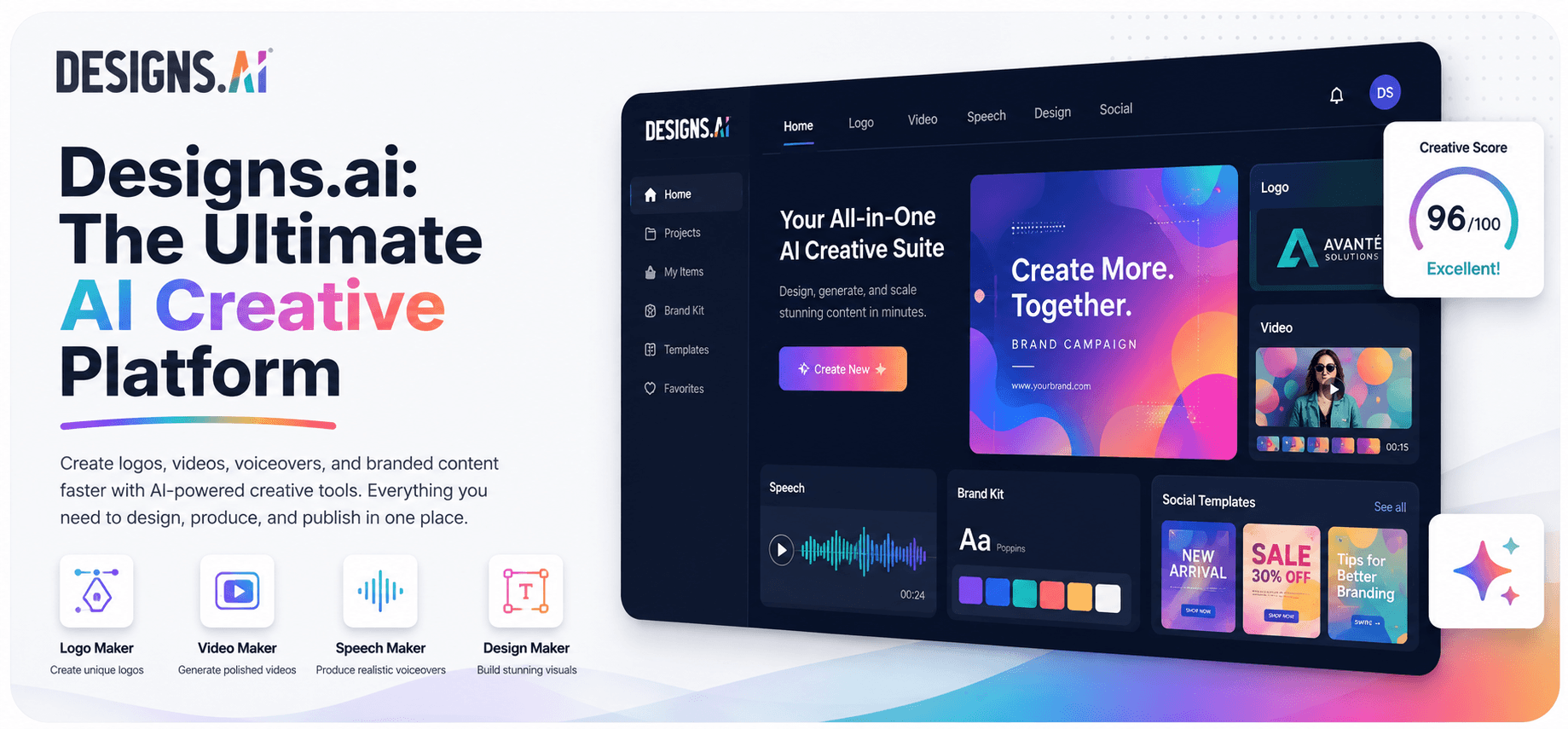
Designs.ai is an AI creative workspace that bundles logo, image, video, slide, and voice generation into one subscription, built around a shared brand kit and, new for 2026, a personal AI agent called Designs Claw. It's genuinely useful if you're currently juggling three or more separate design subscriptions. It's not a replacement for a dedicated specialist tool if you need best-in-class output in any single format.
This review covers what actually changed in Designs.ai's pricing and product lineup for 2026, whether the numbers floating around other review sites (including an earlier version of this one) are still accurate, and who should sign up.
Why You Can Trust This Designs.ai Review
Most AI tool reviews go stale within six months, because pricing pages change and nobody goes back to check. For this review, we pulled Designs.ai's live pricing page, its product menu, and its G2 rating directly on the day of publishing, instead of recycling numbers from an older version of this review or from other sites that clearly copied each other. We did not create a paid account or run test projects through every agent, and we say exactly where that matters below, rather than writing up a fake hands-on test.
Quick Verdict
Category | Detail |
|---|---|
Best for | Solo creators and small teams who need brand-consistent images, video, slides, and audio without hiring a design team |
Starting price | $9.90/mo (Go plan) or $8.30/mo billed annually, though most people will actually want the $39/mo Plus plan |
G2 rating | 4.3 out of 5 from around 106 reviews |
Free plan | None currently on the live pricing page |
Bottom line | A genuinely useful bundle for multi-format brand work, held back by no mobile app and a rough reputation for cancellation and billing support |
What Works Well
One brand kit, seven agents. Upload your logo or URL once and your colors, fonts, and style apply automatically across everything you generate.
A real, sizable stock library behind it. Designs.ai is owned by Inmagine Group, which also owns 123RF, so licensed stock assets are baked into the plan instead of needing a separate subscription.
A genuinely new idea in Designs Claw. A personal AI agent you brief once inside Telegram, and it remembers your brand for future requests, is a legitimately different way to work than opening a new browser tab every time.
A cheaper way in than before. At $9.90/mo (or $8.30/mo if you pay annually), the Go plan is a real, low-risk way to test the workflow, instead of the old all-or-nothing free-vs-full-price setup.
What to Watch
No mobile app. The Video Maker and Design Maker don't work properly in a mobile browser either, so this stays a desktop tool.
A rough Trustpilot record. G2 reviewers, mostly people evaluating features, rate it a respectable 4.3 out of 5. Trustpilot reviewers, mostly people who tried to cancel, rate it far lower, with recurring complaints in 2026 about not being able to remove a card or cancel a trial before getting charged. That gap is worth sitting with before you hand over payment details.
Templated output. Independent reviewers describe the logo and design output as competent but generic, not something you'd want as a permanent brand mark without further work.
Enterprise pricing jumped hard. The old Enterprise tier priced out around $199/mo. It's now $639/mo billed monthly, or $533/mo billed annually, a steep jump if you priced this out even a year ago.
What Is Designs.ai, and What Changed for 2026?
Designs.ai launched in 2019 out of Inmagine Group, the company behind 123RF's stock library and the browser photo editor Pixlr. For years its pitch was "six AI tools, one brand kit": a logo maker, image generator, video creator, voiceover generator, slide builder, and a basic AI chat window, all pulling from one set of brand colors and fonts.
That pitch has visibly moved on. The current homepage doesn't lead with "six tools" anymore. It leads with "Your AI creative team, on demand," and reframes the same formats (branding, image, video, storyboard, slides, audio) as specialist agents that plan the work and pick the underlying model for you, rather than tools you operate one at a time.
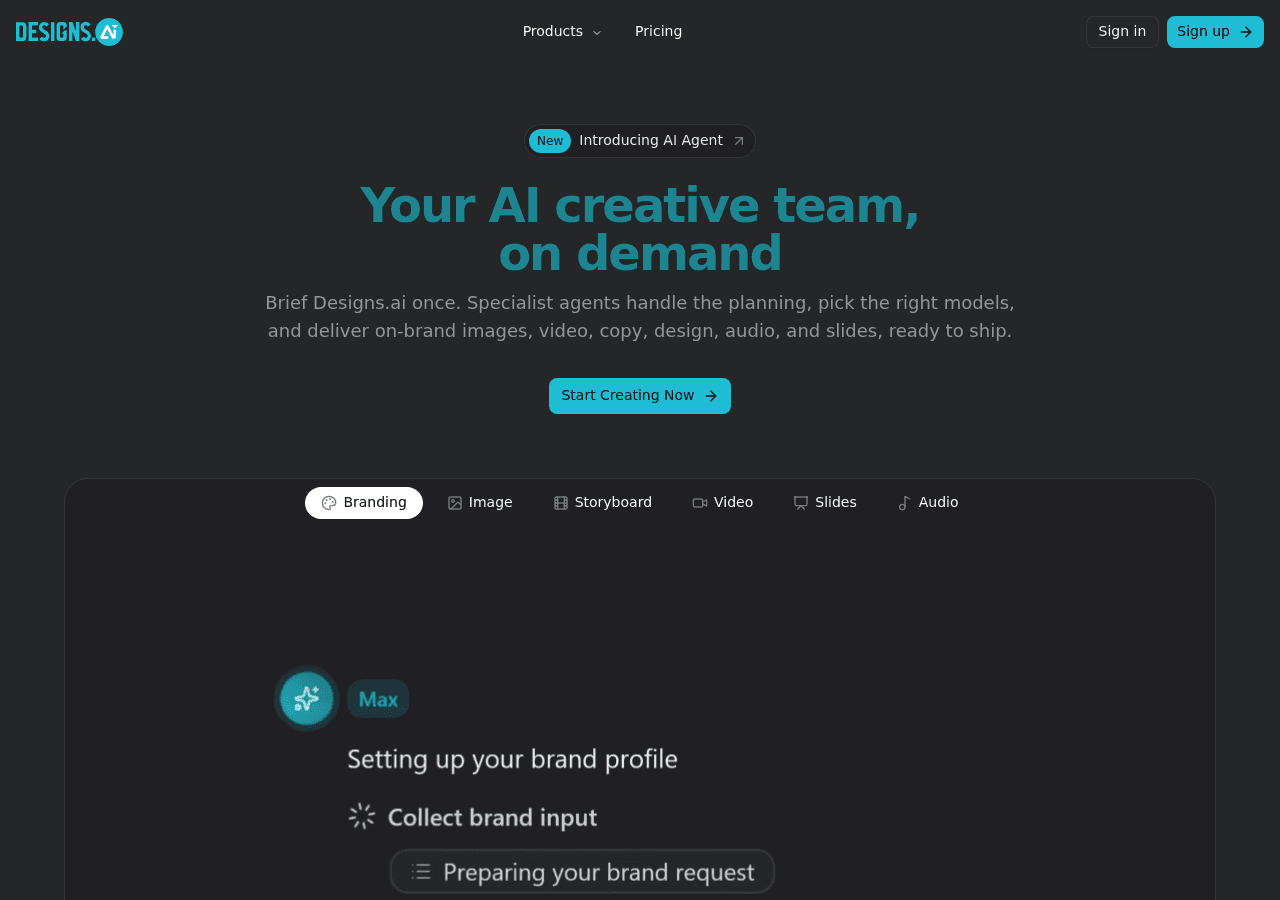
The biggest addition is Designs Claw, a new personal AI agent, marked "NEW" in the product menu at the time of writing, that lives inside Telegram instead of a browser tab. You brief it once, and it remembers your brand, style, and recent projects for future requests, generating images, video, and audio on demand, with more platforms promised beyond Telegram. It draws from the same credit pool as every other agent on your plan.
This matters if you're comparing this review against one written even a year ago: the product you'd be signing up for today is meaningfully different from the one those older reviews describe, and so is the pricing.
Key Features
Here's what's actually inside a Designs.ai subscription right now, based on the product's own current menu:
Branding. Upload a logo or company URL and Designs.ai extracts your colors, typography, and style automatically into a shareable brand kit every other agent then uses.
Image. Generates visuals from text prompts, backed by access to the 123RF stock library, so you can blend AI output with licensed stock instead of relying only on generated images.
Video and Storyboard. Turns a script or scene idea into a full video plan and assembled output, with stock footage, voiceover, captions, and music applied automatically.
Slides. Builds a full presentation deck from a brief or outline, with your brand fonts, colors, and logo already applied to every slide, similar in spirit to what a dedicated tool like Gamma does for slides specifically.
Audio. Text-to-speech, voice cloning, and short music generation for ads, explainers, and reels.
Designs Claw. The new personal AI agent described above, available on Telegram, briefed once and reused across projects.
Copy. Not its own tile in the product menu, but copywriting is part of what the agents deliver when you brief them, folded into the branding, storyboard, and slide workflows rather than a standalone chat window.
What the Interface Looks Like (and an Honesty Note)
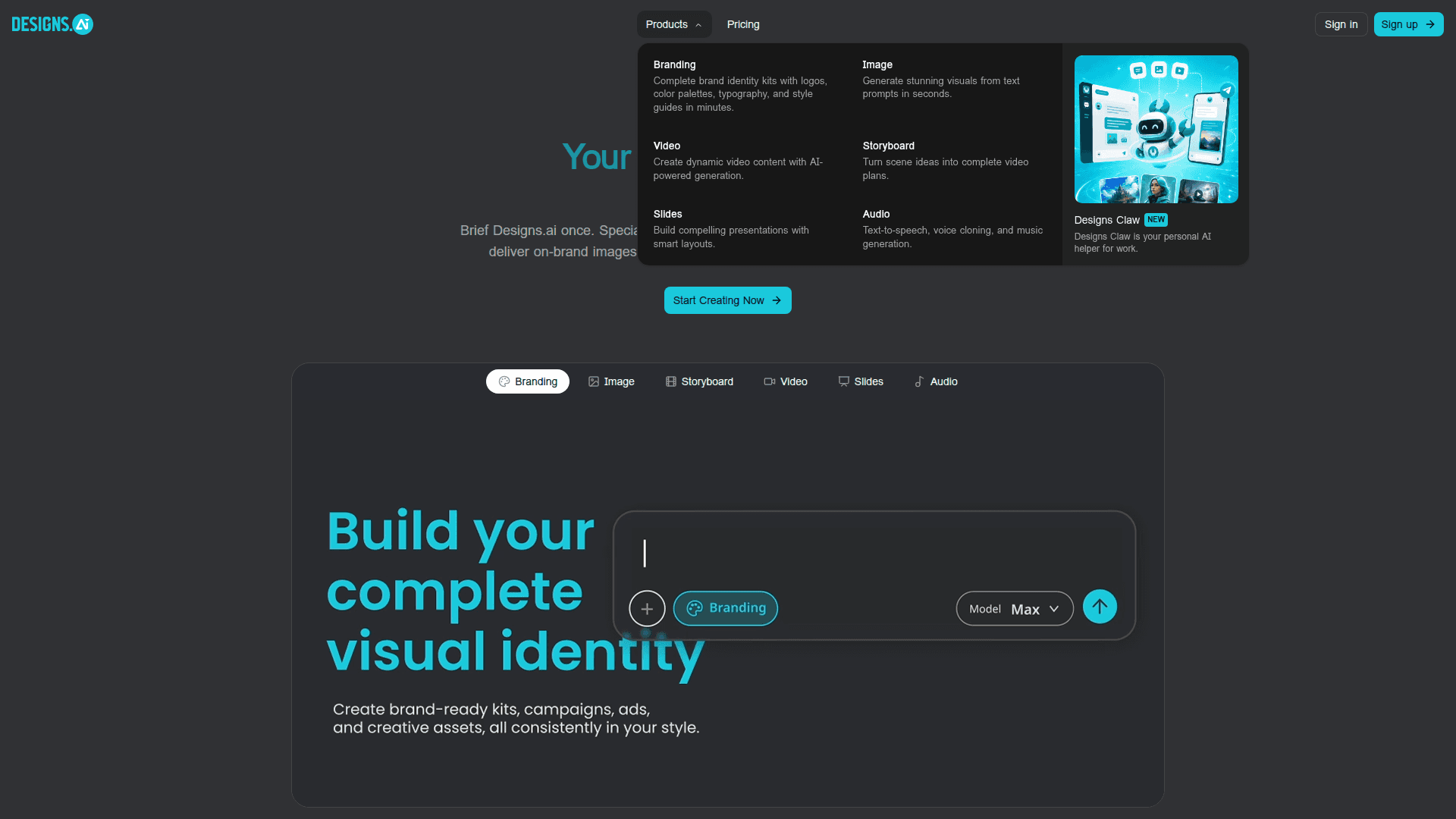
We did not create a paid Designs.ai account or run outputs through every agent for this review, and we'd rather tell you that plainly than write up a fake hands-on test the way some review sites do. What we can show you honestly is what the live product looks like today: the homepage ships with a working, unauthenticated demo panel where you pick an agent (Branding, Image, Storyboard, Video, Slides, Audio) and type a brief directly into a chat-style box before you've signed up at all, which is a genuinely low-friction way to get a feel for the interface before paying anything.
For actual output quality, we're relying on named third-party sources rather than guessing. Independent reviewers describe the video and slide output as fast and usable for business content, while describing the Logo Maker's output as competent but templated: fine for a placeholder or an internal deck, less convincing as a permanent brand mark you'd want to defend in a pitch meeting. If a polished, ownable logo is the one thing you need, budget for a specialist tool or a human designer on top of this.
Pricing: What It Actually Costs Today
This is where older reviews, including an earlier version of this one, get it wrong, because Designs.ai has restructured its plans since most of the pages currently ranking for "Designs.ai review" were written. Here's the current lineup, pulled directly from designs.ai/pricing:
Plan | Monthly billing | Annual billing | Credits/mo | Seats | Designs Claw seats |
|---|---|---|---|---|---|
Go | $9.90/mo | $8.30/mo ($99/yr) | 500 | 1 | 1 |
Plus (most popular) | $39.00/mo | $24.90/mo ($299/yr) | 2,500 | 2 | 2 |
Pro | $79.00/mo | $58.30/mo ($699/yr) | 10,000 | 5 | 5 |
Enterprise | $639.00/mo | $533.00/mo ($6,390/yr) | 100,000 | 30 | 30 |
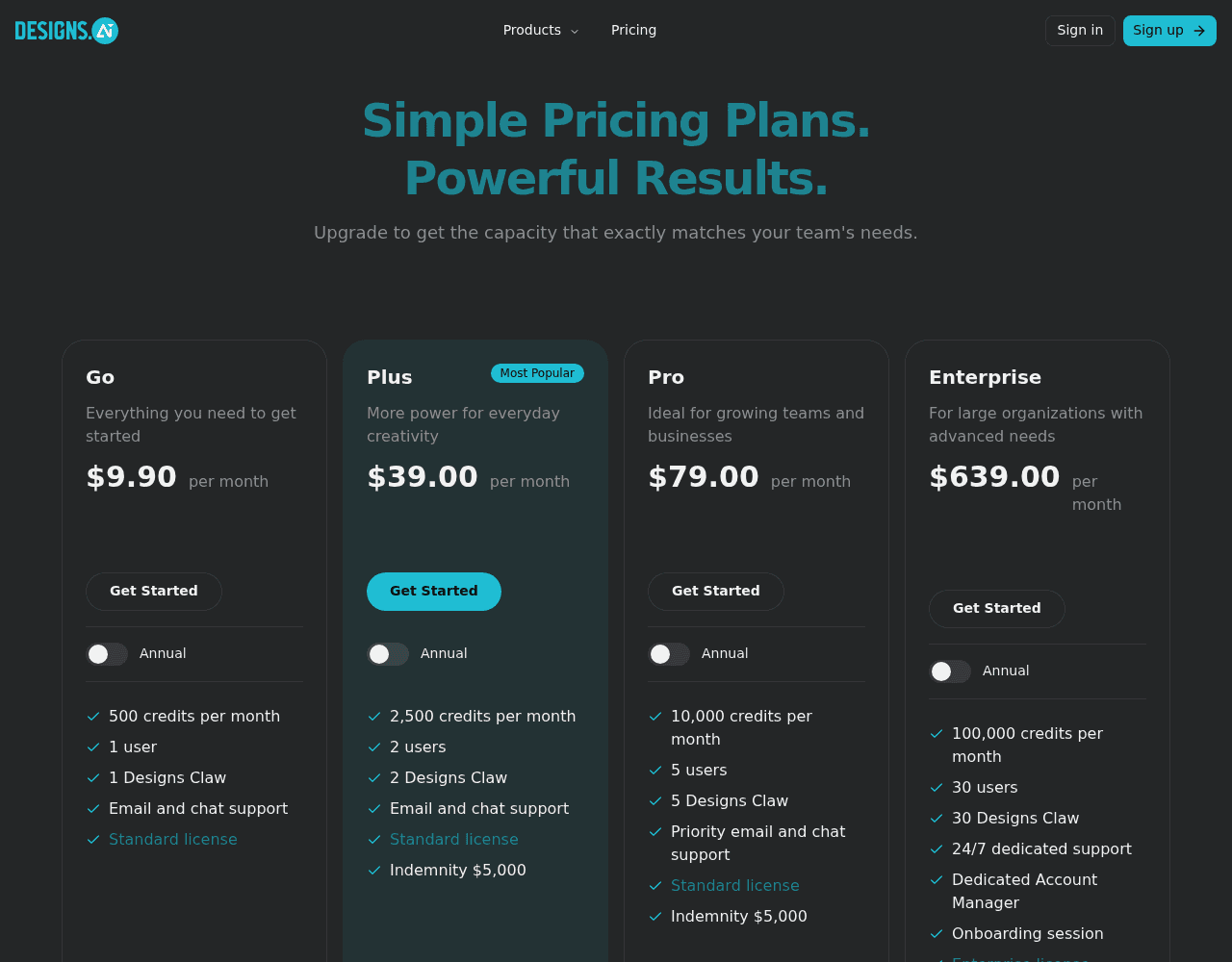
A few honest notes on this table:
There is no free-forever plan visible on the current pricing page. If you've read elsewhere that Designs.ai has a free tier, that's outdated. Some third-party sites still reference a 7-day trial that requires a card, and cancellation is the single most common complaint in Designs.ai's Trustpilot reviews, so if you do start a trial, put a reminder in your calendar a day before it converts.
The realistic starting point for most people is Plus, not Go. 500 credits a month on Go burns fast once you're generating video, so treat the $9.90 price as a way to poke around the interface, not a real production plan.
Enterprise isn't the small step up it used to be. At $639/mo, or $533/mo billed annually, it's built for teams of up to 30 seats with a dedicated account manager and $25,000 indemnity coverage, not a solo creator who just wants more credits.
Designs.ai vs. Canva, Adobe Express, and Visme
Tool | Best for | Starting price | What's different |
|---|---|---|---|
Designs.ai | Multi-format, brand-consistent output from one brief | $8.30/mo (Go, annual), $9.90/mo monthly | The only one here with a shared brand kit across image, video, slides, and audio, plus the new Designs Claw agent |
Canva | General design and templates | About $15/mo (annual), around $18/mo monthly | By far the largest template library and user base, but no dedicated video-agent or voice-cloning layer |
Adobe Express | Quick edits inside the Adobe ecosystem | $9.99/mo (Premium) | Cheapest single-format entry point, plugs into Photoshop and Adobe Stock, but no bundled voice or presentation agent |
Visme | Data-heavy presentations and infographics | $12.25/mo (Starter, annual) | Strongest specifically for slide and chart-based content, weaker on video and voice |
The honest read: if you only need one format, a specialist is usually cheaper and better at that one thing. Designs.ai earns its price when you need three or four formats to look like they came from the same brand, and you don't have the time or budget to run four separate subscriptions to get there. If cinematic AI video specifically is what you're after, it's worth reading how the dedicated AI video generators compare to each other before assuming any all-in-one tool will get you there.
Who Should (and Shouldn't) Use Designs.ai
Use it if you are:
Currently paying for two or more separate design, video, or voice tools and want one brand kit across all of them
A freelancer or small agency managing brand assets for multiple clients
Comfortable with AI output that's "good enough for business use," not portfolio-grade
Skip it if you are:
A filmmaker or creator who needs cinematic, high-fidelity AI video, where a dedicated AI video generator will serve you better
Someone who needs a real mobile app, since Designs.ai stays desktop and web only outside of Designs Claw on Telegram
Building a logo or brand identity you plan to trademark and lean on for years, where a human designer or a more specialized generator is worth the extra cost
Uncomfortable handing over a card for a trial given the cancellation complaints above
The Honest Verdict
Designs.ai doesn't win any single category outright. Its logo maker isn't as sharp as a dedicated logo specialist. Its voice cloning isn't at the level of ElevenLabs. Its video output won't pass for a dedicated cinematic AI video tool. That was true before this review, and it's still true after the 2026 refresh.
What earns Designs.ai a real look is the brand kit tying every format together, and Designs Claw is a legitimately interesting attempt to make "brief an AI once" work across formats instead of tool by tool. But the pricing has moved up meaningfully at the top end, there's still no mobile app, and the gap between Designs.ai's G2 reputation (solid, feature-focused) and its Trustpilot reputation (rough, billing-focused) is wide enough to deserve your attention before you enter a card number.
Category | Score | Notes |
|---|---|---|
Brand kit and multi-format bundle | 8.5/10 | Still the clearest reason to pick this over a single-purpose tool |
Value for money | 6/10 | Go and Plus are fair; Enterprise jumped sharply |
Output quality | 6.5/10 | Good enough for business use, not portfolio-grade |
Ease of use | 7.5/10 | Clean interface, workable demo before signup |
Billing and support experience | 4.5/10 | Recurring, current complaints about cancellation and card removal |
Mobile support | 2/10 | No app; desktop and web only, aside from Designs Claw on Telegram |
Overall: 6.3/10. Worth trying on the Go or Plus plan if brand-consistent, multi-format content is your actual bottleneck. Read the cancellation reviews before you enter a card number, and budget for a specialist tool if any single format, logo, voice, or cinematic video, is the one thing your business actually depends on.
Curious to see how it performs?
Try
Designs.ai
Now
GOT ANY QUESTIONS LEFT?
Is Designs.ai free to use in 2026?
Is Designs.ai worth it?
What is Designs Claw?
Does Designs.ai have a mobile app?