Guide
Artlist Review 2026: The Tool That Stopped a Million YouTube Videos From Getting Muted — And Became So Much More
1. The Copyright Strike That Ends Careers
Here is a scenario that has played out for hundreds of thousands of creators. You spend two days editing a video. You find the perfect background track — something you discovered on Spotify, something that just fits. You upload it. For three days, it gets views. Then YouTube's Content ID system flags it. Your video is muted. Or demonetized. Or, in the worst cases, your channel gets a strike.
Nobody taught you the rule: in the world of online video, every song is someone's property, and using it without a license is a bet you will eventually lose. Music publishers are very good at enforcing this. They have automated systems that scan every upload, every frame, every millisecond of audio. The tools are better than most creators' awareness of the law.
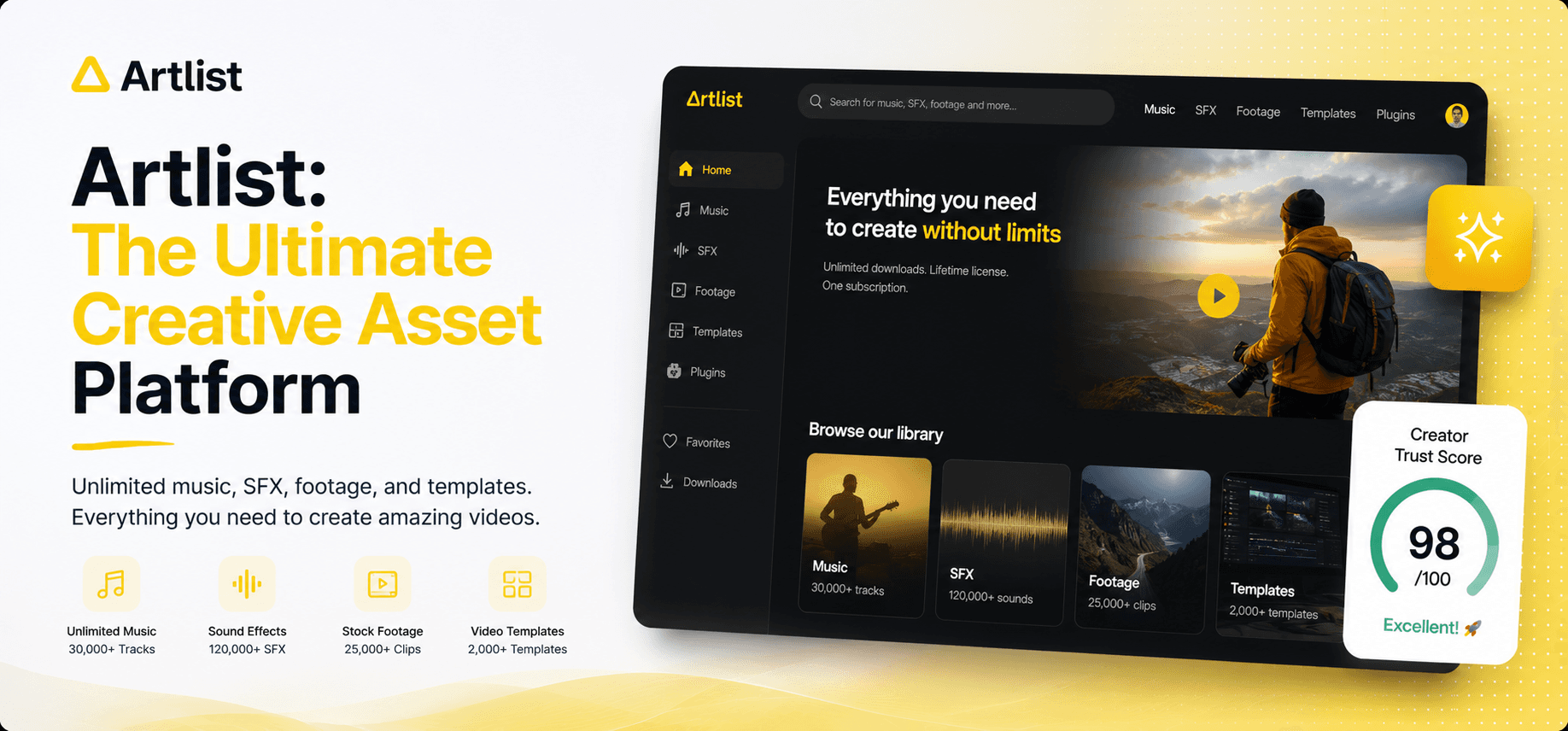
Artlist was built for exactly this problem. A subscription that gives you access to a library of 900,000+ professionally created assets — music, sound effects, footage, templates — all under a simple, blanket commercial license. No per-use fees. No attribution. No copyright drama.
But in 2026, Artlist is something bigger than a music library. It is now a full AI creative ecosystem — generating videos, images, music, and voiceovers using 100+ AI models including Sora, Kling, Veo, and HeyGen. The music platform that protected your channel has quietly become the all-in-one creative OS that 50 million creators worldwide now depend on.
50M+Creators in 150+ countries
900K+Royalty-free assets in the library
100+AI models in the Toolkit
$0Copyright liability on licensed assets
"The average freelance editor saves 4 hours per project just by sourcing assets from Artlist rather than hunting them across multiple sites — that's $200 in saved labour per video before you count the copyright risk you've avoided."— Vidpros Editorial Team, 2026
2. So What Actually Is Artlist?
Think of Artlist as a creative subscription that started with one brilliant insight — creators need licensing to be invisible — and has since expanded into the most comprehensive AI-powered asset platform on the internet.
It was founded in 2016 in Tel Aviv by Ira Belsky and Oded Jacoby with a single product: royalty-free music licensed properly for YouTube and commercial use. No per-video fees. No attribution. No grey areas. That simplicity built a massive loyal following among YouTubers, documentary filmmakers, and brand agencies.
By 2026, the company looks very different. It now serves Microsoft, Google, Apple, Real Madrid, Porsche, Walmart, NBC Universal, and Prime Video alongside millions of solo creators. Its product has expanded to cover the entire video creation workflow — from the first frame of AI-generated footage to the last beat of AI-composed music, all under one subscription, all with commercial rights included.

Artlist in 2026: a complete creative AI ecosystem used by 50M+ creators worldwide — from solo YouTubers to enterprise brands at Microsoft and Google.
3. The Stock Library + AI Ecosystem: What You Actually Get
Artlist's power in 2026 comes from combining two things that are usually sold separately: a world-class library of pre-made professional assets, and a toolkit of cutting-edge AI generation models. You don't have to choose — you get both under one subscription.
🎵 The Stock Catalog — 900K+ Assets, Zero Licensing Headaches
The library that started it all remains Artlist's backbone. Over 900,000 professional assets updated daily: royalty-free music from independent artists organized by genre, mood, and instrument; sound effects from ambient noise to cinematic impacts; stock footage from professional filmmakers searchable by theme and shot type; video templates; colour LUTs; and editing plugins. Every single asset comes with a global commercial license covering YouTube, social media, broadcast, and advertising — permanently, even if you cancel your subscription after downloading.
🤖 The AI Toolkit — 100+ Models, One Interface
This is where Artlist made its most aggressive move. Rather than building mediocre in-house AI models, they licensed and integrated the best models available — and continuously swap in new ones as the market evolves. The AI Toolkit gives you access to: text-to-video and image-to-video using Sora, Kling 3.0, Veo 3.1, and Seedance 2.0; text-to-image using GPT Image 1.5, Imagen 4 Ultra, and FLUX.2 Pro; AI music generation via Lyria 3; and AI voiceover with voice cloning via ElevenLabs v3. You do not need ten separate subscriptions. One Artlist plan gives you all of them, in one organized workspace.

The Artlist AI Toolkit: one workspace for generating video, images, music, and voiceovers across 100+ leading AI models — including Sora, Kling, Veo, and ElevenLabs.
🎬 Artlist Studio — End-to-End AI Video Production (BETA)
The newest and most ambitious product in the Artlist suite. Artlist Studio is a complete AI video production platform that guides you from storyboarding to casting, location scouting, and final shot generation — all within one interface, with visual consistency maintained from the first frame to the last. It's currently in beta, which means early adopters get access before the full launch, and feedback genuinely influences how the product evolves. For affiliate marketers and content brands building video at scale, this is the feature to watch.
💬 The AI Agent Mode — Just Describe What You Need
Choosing between 100+ AI models is powerful but paralyzing if you're not a technical user. Artlist's AI Agent solves this. Instead of selecting models and tweaking settings, you simply describe your goal in plain English. "I need a 30-second corporate explainer video with upbeat music and a professional voiceover in British English." The Agent picks the right models, generates drafts, and lets you iterate conversationally. Each prompt builds on the last, so your project evolves without losing context.
📊 Artlist vs. The Competition
Feature | Artlist | Epidemic Sound | Envato Elements | Storyblocks |
|---|---|---|---|---|
Starting Price | $9.99/mo | $10/mo | $16.50/mo | $15/mo |
Music Library | ✔ 900K+ assets | ✔ 40K+ tracks | ⚬ Moderate | ⚬ Moderate |
Stock Footage | ✔ Yes (included) | ✘ No | ✔ Yes | ✔ Yes |
AI Video Generation | ✔ 30+ models | ✘ No | ✘ No | ✘ No |
AI Music Generation | ✔ Lyria 3 | ✘ No | ✘ No | ✘ No |
AI Voiceover | ✔ ElevenLabs v3 | ✘ No | ✘ No | ✘ No |
Commercial License | ✔ Blanket, global | ✔ Yes | ✔ Yes | ✔ Yes |
Free Plan | ✔ Watermarked assets | ⚬ Trial only | ✘ No | ⚬ Limited |
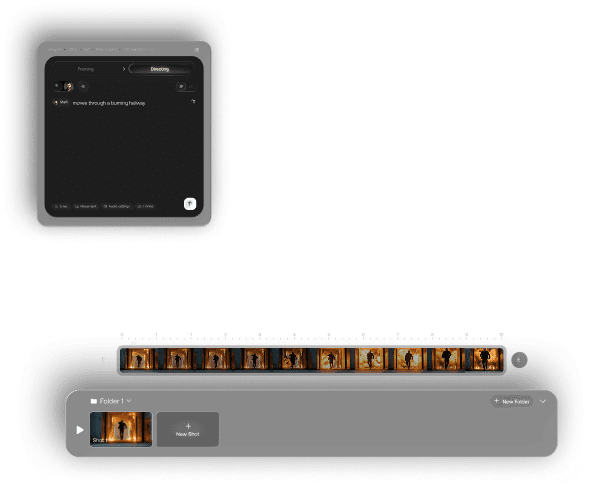
Artlist Studio (currently in BETA): an end-to-end AI video production environment where you storyboard, cast, scout locations, and generate final shots — all inside one interface.
4. Pricing: Surprisingly Accessible for What You Get
Artlist's pricing structure has grown more layered as the product has grown. There is now a plan for every type of creator — from the solo YouTuber who just needs clean music to the production agency generating AI videos at scale. Here's what matters:
Free Account
$0/mo
no credit card needed
✓ Try all AI tools
✓ Watermarked stock assets
✓ Save to Artboards
✗ No downloads
Music & SFX
$9.99/mo
billed annually · social use
✓ Unlimited music & SFX
✓ Social channel license
✓ Podcast usage
✗ No AI Toolkit
Best Value
Artlist Max
$39.99/mo
billed annually · all-inclusive
✓ Full stock catalog
✓ AI Toolkit + Studio
✓ AI credits included
✓ Commercial license
AI Creator
$41.67/mo
billed annually · AI-heavy users
✓ 80,000 AI credits/mo
✓ Unlimited on select models
✓ Artlist Studio access
✓ Full AI Toolkit
For most solo creators and affiliate marketers, Artlist Max at $39.99/month is the clear pick — you get the full stock library AND the AI Toolkit in one subscription. Compare that to paying separately for Epidemic Sound ($10/mo) + a video AI tool ($30+/mo) + ElevenLabs ($22/mo) + a stock footage service ($15/mo) and you're looking at $77+ for less capability.
5. Who Should Use Artlist — And Who Shouldn't
Artlist's breadth is its biggest strength and its most honest weakness. It does many things very well. It doesn't claim to do every single thing best in class.
✅ Use Artlist If You Are…
A YouTuber tired of copyright issues
A content creator needing music + footage + AI in one bill
A marketer producing video ads and social content regularly
An affiliate marketer adding AI video to your content stack
A team that wants consistent AI output across video, image, voice, and music
❌ Skip Artlist If You Are…
Only need AI video (HeyGen or RunwayML may suit better)
Looking for Epidemic Sound's specific music curation depth
On a budget under $10/month for only one type of asset
Needing avatar-based talking-head videos (HeyGen wins there)
Working on a one-off project vs. ongoing content creation
💡 The Integration Advantage (It's Real, Not Marketing)
Most creators don't fail because they don't have good tools. They fail because they have too many half-used tools across too many platforms. Artlist's real value isn't any individual feature — it's the fact that your music, your footage, your AI-generated video, and your voiceover all come from one place, under one license, in one workflow. That consolidation is worth paying for.
6. Step-by-Step: Getting Started with Artlist
Here's exactly what happens from sign-up to your first piece of AI-generated content. No skipped steps.
Step 1 — Create a Free Account
Go to artlist.io → click Start Free Now → sign up with Google or email, no credit card needed. You immediately get access to the AI Toolkit with watermarked previews and limited free AI generations. This is enough to evaluate the quality before committing to a paid plan.
Step 2 — Explore the Stock Library First
Before jumping into AI generation, spend ten minutes in the music library. Search by mood (Uplifting, Cinematic, Tense), by genre, or by instrument. Download a few stems — the individual instrument tracks that let you mix and mute elements in your editor. This alone justifies the Music & SFX plan for any creator producing regular video content.
Step 3 — Generate Your First AI Video
Go to the AI Toolkit → select AI Video. You can use Standard mode (choose your model and settings manually — good for experienced users) or switch to AI Agent mode (type your goal in plain English and let the Agent handle model selection). For your first attempt, use Agent mode. Type something like: "Cinematic 15-second product video for a sleek tech gadget, dark background, dramatic lighting, no text." Hit Generate and watch three different model outputs appear in parallel within minutes.
Step 4 — Add AI Music and Voiceover
Still inside the AI Toolkit, go to AI Music → describe the track you need ("60 seconds, high energy, electronic, product launch feel"). Lyria 3 will generate a full, royalty-free original track in under a minute. Then go to AI Voiceover → type your script → pick a voice from the ElevenLabs library (including voice cloning if you want your own voice replicated). Download both. You now have a complete video package — visuals, music, voice — without touching a camera, hiring a musician, or booking a studio.
Step 5 — Use the Premiere Pro Extension for Stock Assets
If you edit in Premiere Pro, install the Artlist Hub extension. You can search the entire 900K+ library directly inside your editor — browse, preview, and drag assets straight into your timeline without switching windows. For editors doing multiple projects per week, this single feature saves hours every month.
⚠️ Something Worth Knowing About Licensing
Every asset you download while your Artlist subscription is active is licensed permanently — even if you cancel. That means you can build a library of cleared assets during one year of subscription and continue using them legally forever. This is meaningfully different from how most stock platforms handle it, and it is one of the least-talked-about reasons Artlist earns such fierce loyalty among professional editors.
7. The Verdict
Let's be honest about the gaps. Artlist's AI video output isn't going to beat a dedicated specialist like RunwayML or HeyGen on raw quality for specific use cases — avatar videos, for example, still belong to HeyGen. The AI Toolkit is excellent at general video generation but doesn't have the same depth of avatar-specific features. And Artlist Studio is still in beta, which means it has rough edges.
But here's the question that matters: how many different tools are you currently paying for to cover music, SFX, footage, templates, AI video, AI voiceover, and AI images?
If the honest answer is four, five, or more — Artlist Max at $39.99/month almost certainly saves you money while reducing the cognitive load of managing half a dozen subscriptions across half a dozen platforms. The quality of every component is production-ready. The licensing is bulletproof. And unlike tools that get acquired and shut down, Artlist's ten-year track record and enterprise client base means it's not going anywhere.
For creators building a content-led business in 2026, Artlist isn't a nice-to-have. It is the infrastructure layer that makes everything else possible without legal anxiety.
8.8
Artlist — Strongly Recommended for Serious Creators
Out of 10 · Reviewed June 2026
Category | Score | Notes |
|---|---|---|
Music & Stock Library | 9.5 / 10 | Best-in-class quality and curation. The original differentiator still holds. |
AI Video Generation | 8.5 / 10 | 100+ models, excellent Agent mode. Not the best for avatar/talking-head video. |
AI Music & Voiceover | 9.0 / 10 | Lyria 3 music and ElevenLabs v3 voiceover are genuinely production-ready. |
Licensing Clarity | 9.5 / 10 | Blanket global commercial license. Permanent after download. Industry-leading. |
Value for Money | 8.5 / 10 | $39.99/mo for everything vs. $77+ piecing together equivalents separately. |
Artlist Studio (Beta) | 7.5 / 10 | Ambitious and promising, but still early. Worth watching for Q3 2026 updates. |
Start for Free: Artlist's free account lets you test every AI tool with no credit card. Generate a sample video, compose a music track, clone a voice. If the quality passes your standard, Artlist Max at $39.99/month is one of the most complete creative subscriptions available to independent creators in 2026.