
If you buy through a link on this page, we may earn a commission, at no extra cost to you.
Last month I watched a friend upload eleven PDFs, a Google Slides deck, and a two-hour YouTube lecture into a single tool, then ask it a question out loud and get an actual podcast back, two AI hosts chatting about her own research like they'd read every page. That tool was NotebookLM. NotebookLM is Google's free AI research assistant that only answers from the documents you give it, and this review covers what it's actually good at, what it botches, what it costs (spoiler: there's no dedicated price tag), and whether it deserves a spot next to ChatGPT and Perplexity in your browser tabs.
This is for anyone who has ever asked an AI a question and then had to go double-check the answer anyway. NotebookLM was built to remove that second step.
How We Tested NotebookLM
We used NotebookLM's live product at notebooklm.google.com and its official Google Help documentation for every feature and limit claim below, cross-checked against Google's own Upgrade NotebookLM support page (the closest thing to a real spec sheet this product has), and read through current user feedback on G2 and Reddit for the parts a spec sheet can't tell you, like whether the podcast voices actually sound natural. Every price and limit in this piece was verified in July 2026, not pulled from an old press release.
Quick Verdict
Metric | Detail |
|---|---|
AIwithKay Score | 8/10 |
Best for | Turning your own documents into a source-cited chat, an audio briefing, or a study guide |
Price | Free forever for solo use; paid limits only come bundled inside Google AI Plus ($4.99/mo), Pro ($19.99/mo), or Ultra (from $99.99/mo) |
Bottom line | The most trustworthy way to get an AI to read your own documents, but it's not a ChatGPT or Perplexity replacement for open-web research |
What works well:
Answers only come from the sources you upload, with a clickable citation pointing to the exact line, so hallucination risk is genuinely low
Audio Overviews turn a stack of PDFs into a two-host podcast discussion, which is the feature every reviewer mentions first
The free tier is unusually generous: 100 notebooks, 50 sources per notebook, 50 chats and 3 Audio Overviews a day
Handles a wide mix of source types, PDFs, Google Docs and Slides, web pages, YouTube links, and audio files
What to watch:
Every notebook is its own silo, you can't ask one question across two notebooks at once
No live web access by default, so it can't fill in gaps outside what you've uploaded
It struggles with tables, charts, and non-standard layouts inside PDFs
There's no standalone NotebookLM subscription, paid limits only unlock inside the wider Google AI plans
Real-time multi-user collaboration is limited compared to Google Docs
What Is NotebookLM, Actually?
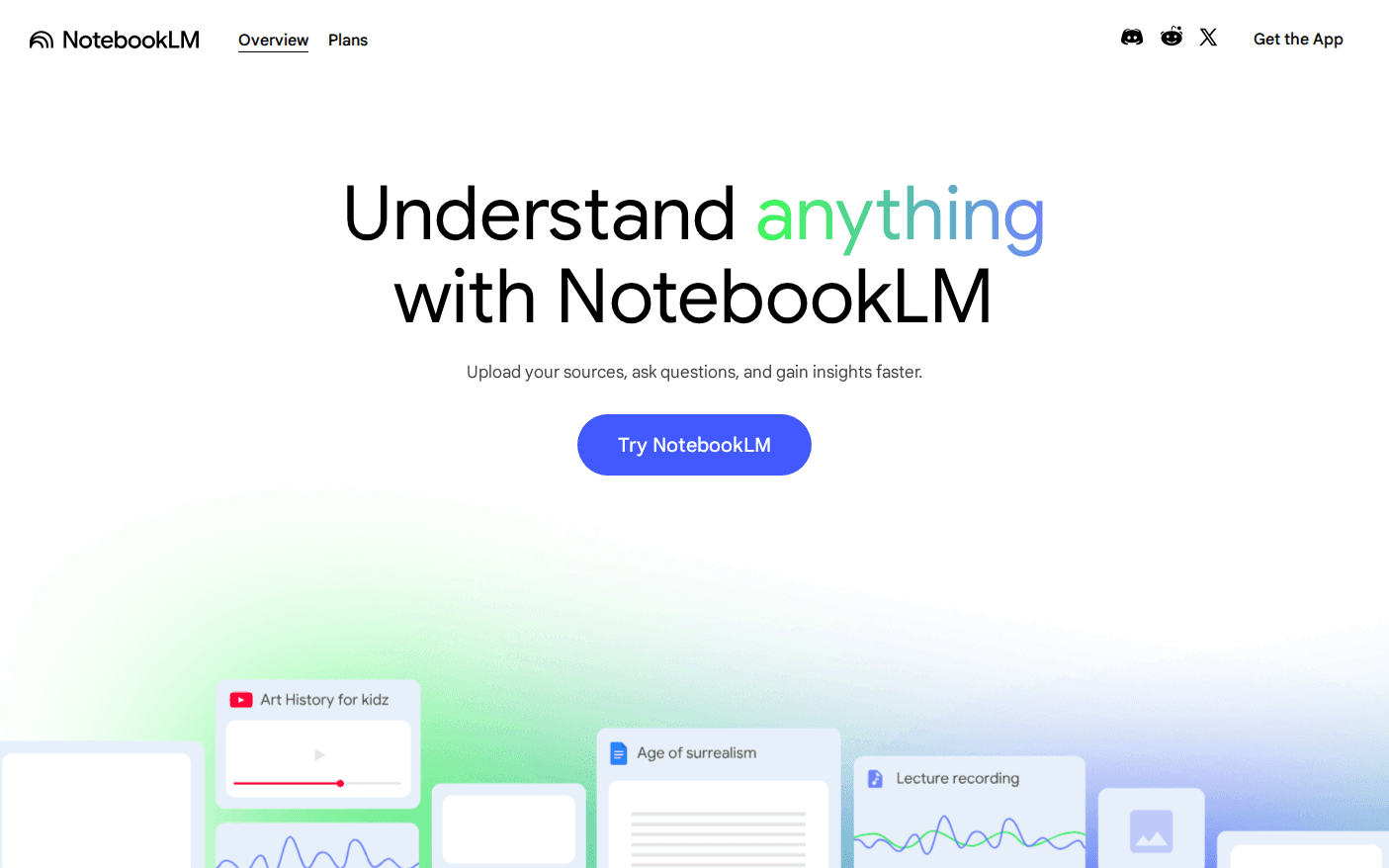
NotebookLM is Google's answer to a problem every AI chatbot shares: you ask a question, you get a confident answer, and you have no easy way to check if it's true. NotebookLM flips the model around. Instead of answering from everything it was trained on, it only answers from the specific sources you feed it, and every claim links back to the exact passage it came from.
Think of it like the difference between asking a friend who read the whole internet once versus handing a research assistant your actual folder of documents and saying "only answer from this, and show your work." The second version is slower to set up but a lot harder to argue with.
Google first launched NotebookLM in 2023 as an experimental research notebook. By 2026 it's been rebuilt on Gemini 3 and expanded well past chat, adding podcast-style audio, video walkthroughs, mind maps, and full research reports, while keeping the one rule that made it useful in the first place: it won't make things up about your material.
Key Features
Here's what you actually get inside a NotebookLM notebook once your sources are uploaded.
Source-grounded chat. Ask questions and get answers pulled only from what you've uploaded, not general web knowledge, unless you explicitly add a source that includes it.
Inline citations. Every answer includes a clickable citation chip that jumps straight to the exact paragraph it came from, so you can verify instead of trusting blindly.
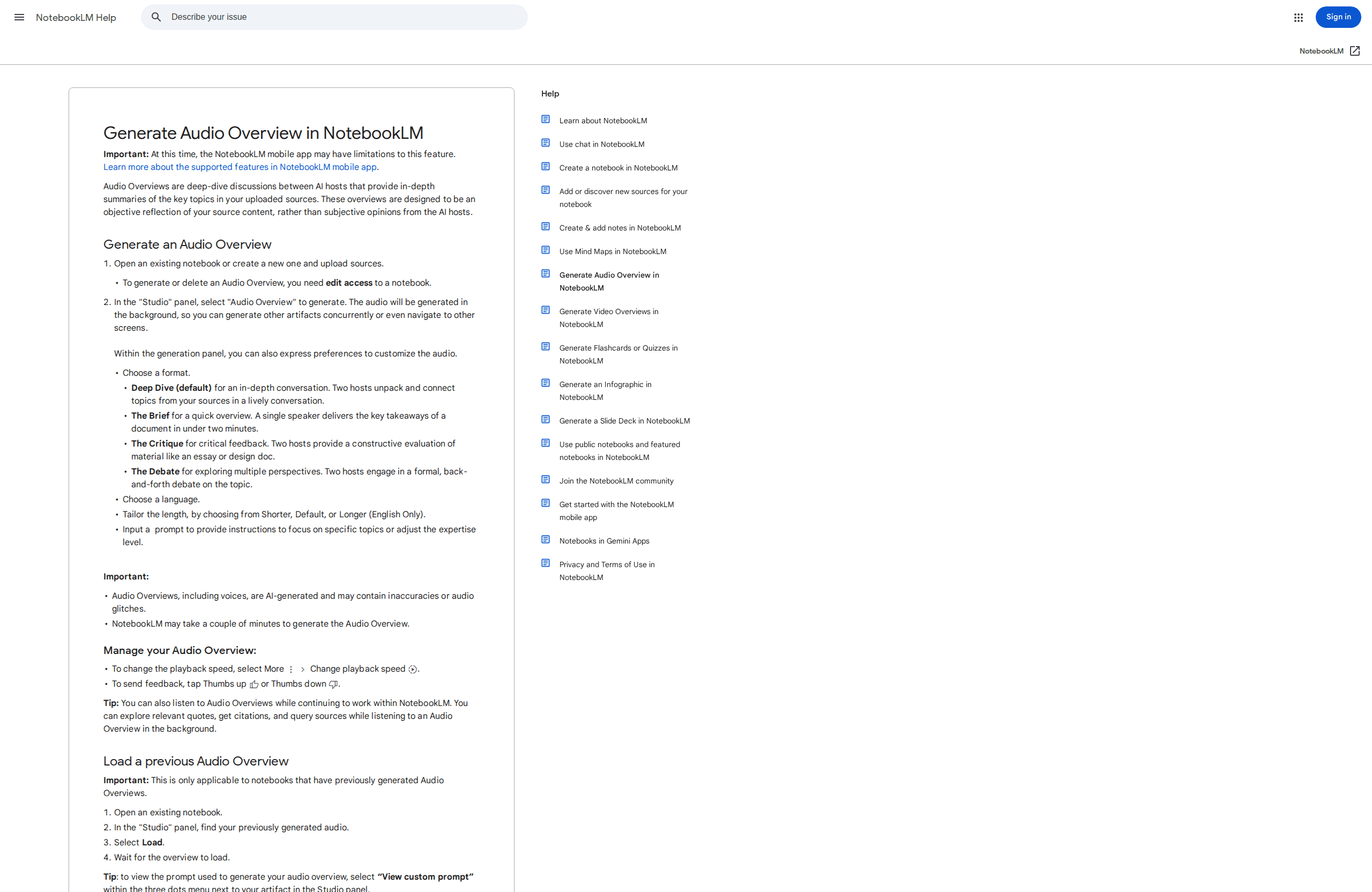
Audio Overviews. Turns your sources into a two-host, podcast-style conversation in minutes, available in 80+ languages, genuinely one of the most-loved features in every review we read.
Video Overviews. A narrated, slide-style walkthrough of your material, useful for a quick visual primer before you read the full source.
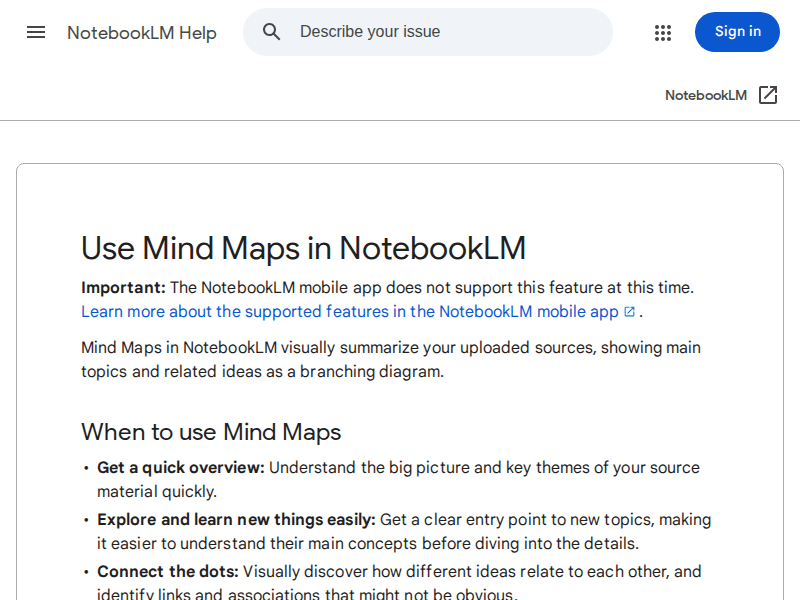
Mind Maps. A branching visual diagram of how the ideas in your sources connect, handy for spotting themes you'd otherwise miss skimming page by page.
Flashcards and quizzes. Auto-generated from your notebook's content, built for studying rather than casual research.
Deep Research reports. Longer, structured research reports; since late 2025 these can also pull a cited source list from the open web, the one place NotebookLM does step outside your uploads.
Infographics and slide decks. Turns a notebook into a shareable visual summary (Ultra removes the watermark).
A notebook workspace with sharing and a mobile app, so you're not locked to one browser tab.
How It Actually Performs
We didn't just read the feature list, we checked what real users report after actually living with the product, because a features page and a Tuesday-afternoon research session are two different things.
The citation system holds up. Reviewers and Reddit threads consistently point to the same thing: NotebookLM will tell you it can't find something in your sources rather than inventing an answer, which is rarer than it should be for an AI tool in 2026. That's the whole value proposition, and by most accounts it delivers.
Audio Overviews are the standout, but not flawless. User reports describe the two AI hosts as sounding natural most of the time, with occasional stumbles on pronunciation or an oddly robotic pause, more noticeable on niche or technical vocabulary. For a feature that didn't exist eighteen months ago, that's still an impressive hit rate.
The Mind Maps feature earns praise for giving a fast big-picture view before you dive into dense material, students in particular use it as a first pass before actually reading the sources. Here's the honest catch, though: NotebookLM visibly struggles with tables, charts, and unusually laid-out PDFs. If your source material is a scanned spreadsheet or a report full of figures, expect it to summarize the surrounding text well and fumble the actual numbers. Split long documents into shorter files, under roughly 100 pages, for more reliable results, since Google's own guidance and user reports both flag long single-file uploads as a common failure point.
NotebookLM Pricing (Verified July 2026)
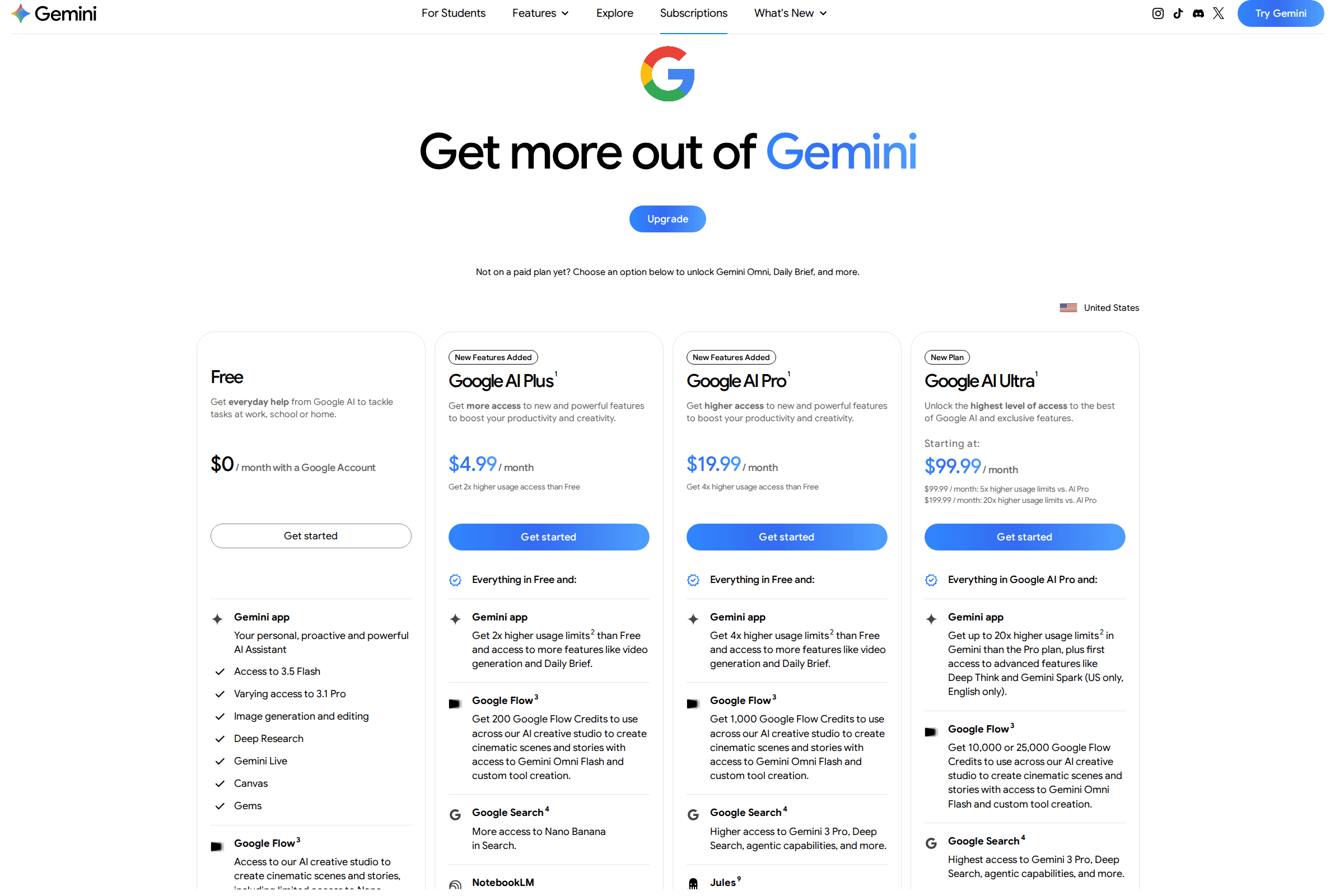
Here's the part that trips people up: there is no NotebookLM-only subscription. Every paid tier is bundled inside Google's broader AI plans, so you're paying for Gemini, storage, and NotebookLM together, not NotebookLM alone.
Plan | Price | Notebooks | Sources per notebook | Daily chats | Audio/Video Overviews per day |
|---|---|---|---|---|---|
Free | $0 | 100 | 50 | 50 | 3 |
Google AI Plus | $4.99/mo | 200 | 100 | 200 | 6 |
Google AI Pro | $19.99/mo | 500 | 300 | 500 | 20 |
Google AI Ultra (20TB) | $99.99/mo | 500 | 500 | 2,500 | 100 |
Google AI Ultra (30TB) | $200/mo | 500 | 600 | 5,000 | 200 |
A few notes worth knowing before you upgrade:
Every source, on any plan, is still capped at 500,000 words or 200MB, upgrading buys you more sources, not bigger ones.
Deep Research is metered separately from Audio/Video Overviews: 10 reports a month on Free, then 3/day on Plus, 20/day on Pro, 75/day on Ultra 20TB, and 200/day on Ultra 30TB.
Google AI Plus was actually cut from $7.99 to $4.99/month in June 2026, alongside doubled storage, making it the cheapest way to raise NotebookLM's limits right now.
The only feature locked to Ultra specifically is the Cinematic Video Overview, a fully animated version built on Google's Veo video model.
Is it worth paying? If the free tier's daily caps never bother you, don't bother upgrading, plenty of solo researchers and students never hit 50 sources or 50 chats a day. If you're running NotebookLM professionally, alongside heavy Gemini or Veo use elsewhere in Google's ecosystem, Plus at $4.99/month is one of the easiest upgrades in AI right now, you're getting more than double the notebook capacity for less than a coffee.
NotebookLM vs. the Competition
Tool | Best for | Starting price | Key difference |
|---|---|---|---|
NotebookLM | Grounded chat over your own documents | Free (paid via Google AI Plus, $4.99/mo) | Zero-hallucination citations and a genuine podcast-style Audio Overview |
Perplexity Pro | Live web research with citations | $20/mo | Searches the open web in real time instead of a closed set of uploads |
ChatGPT Plus | General-purpose AI assistant | $20/mo | Broadest overall skillset (writing, coding, images) but weaker source citation |
Elicit | Academic literature reviews | Free; Pro $49/mo | Purpose-built for systematic reviews across 125M+ academic papers |
Notion AI | AI inside your existing workspace | Bundled into Notion Business, $20/user/mo | Convenient if you already live in Notion, but not a dedicated research tool |
The short version: Perplexity and ChatGPT are better if you need answers from the open internet. NotebookLM wins the moment you need an AI that only speaks from documents you actually chose, which is exactly the use case where the other two are more likely to guess.
Who Should Actually Use NotebookLM
Best for:
Students turning a semester's worth of readings into an audio review or a mind map before an exam
Researchers and analysts who need to interrogate a fixed set of reports, papers, or transcripts and cite every claim
Journalists and fact-checkers verifying quotes and figures against source documents
Teams that want a low-hallucination way to query internal docs without building a custom RAG pipeline
Skip it if:
You need an AI that can search the live web by default, Perplexity handles that natively
Your work requires cross-referencing many notebooks at once, NotebookLM's silo model will frustrate you
Your source material is mostly tables, charts, or scanned spreadsheets
You need one tool that also drafts finished content well, pair NotebookLM's research output with a dedicated writing tool like Copy.ai or Anyword for the actual drafting
Frequently Asked Questions
Is NotebookLM really free? Yes. The free tier gives you 100 notebooks, 50 sources per notebook, 50 chats a day, and 3 Audio Overviews a day, no credit card required. Paid tiers only raise those limits, they don't unlock a fundamentally different product.
What's the difference between NotebookLM Free, Plus, Pro, and Ultra? They're not separate NotebookLM plans, they're limits bundled inside Google's AI Plus ($4.99/mo), Pro ($19.99/mo), and Ultra (from $99.99/mo) subscriptions. Each tier raises your notebook count, sources per notebook, daily chats, and Audio/Video Overview allowance.
Does NotebookLM hallucinate like ChatGPT? Far less often, by design. It answers only from the sources you upload and cites the exact passage behind each claim, and it's built to say "I don't know" rather than invent an answer when your sources don't cover something. It can still misread or over-generalize a source, so click the citations on anything important.
Can NotebookLM search the internet? Not by default in regular chat, it only knows what you've uploaded. The exception is Deep Research reports, which since late 2025 can pull a cited source list from the open web as part of building the report.
What file types can I upload to NotebookLM? PDFs, Google Docs and Slides, plain text, web page URLs, YouTube video links, and audio files, up to 500,000 words or 200MB per source on every plan, including free.
Does Google use my uploaded documents to train its AI models? For regular personal accounts, Google states your content isn't used to train NotebookLM unless you submit feedback (a thumbs up or down), which may then be reviewed by a trained human team. Workspace and Workspace for Education accounts get stronger protection: uploads and responses aren't reviewed or used for training even when feedback is given.
The Final Verdict
NotebookLM isn't trying to be your everything-AI, and that's precisely why it works. It does one job, reading your own documents and telling you the truth about what's in them, better than almost anything else on the market. The Audio Overviews alone make it worth the free sign-up, and the citation-first design is the rare AI feature that actually earns your trust instead of just asking for it.
The honest caveats are real: siloed notebooks, no live web search, and a rocky relationship with tables and charts. None of them are dealbreakers if you know what you're using it for. If you regularly work from a defined pile of documents, whether that's course readings, client reports, or a research archive, NotebookLM is worth adding to your toolkit today, for free, before you even think about the paid tiers.
Curious to see how it performs?
Try
NotebookLM
Now


